
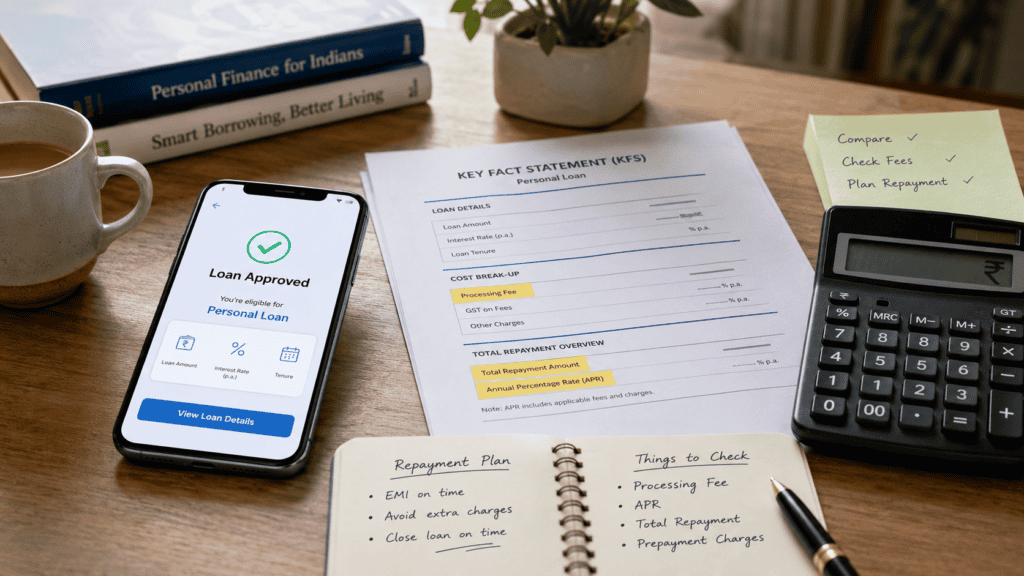
A loan app shows you ₹10,000 approved. You accept, expecting ₹10,000 in your account — but ₹8,800 arrives. Your repayment demand a month later is ₹11,200. You never saw a breakdown, never read a document, and tapped “accept” because the EMI looked small. Hidden charges in loan apps work exactly like this: they are fees, deductions, and penalties that sit between the amount you were shown and the amount you actually owe. For many first-time borrowers and salaried professionals using instant loan apps before salary day, these gaps are the most expensive mistake they do not notice until after acceptance. This article gives you a practical 6-point checklist — covering the Key Fact Statement (KFS), Annual Percentage Rate (APR), net disbursal, processing fees, late charges, and total repayment — so you can check the real cost of a loan app offer before you tap accept, not after.
Quick Answer: Hidden Charges in Loan Apps
Hidden charges in loan apps are fees, deductions, penalties, or add-on costs that increase your real borrowing cost beyond the visible EMI. Before accepting, use a 6-point checklist: KFS, APR, net disbursal, processing fee, late charges, and total repayment. If a charge was not disclosed in writing, save proof and ask for a written breakup.
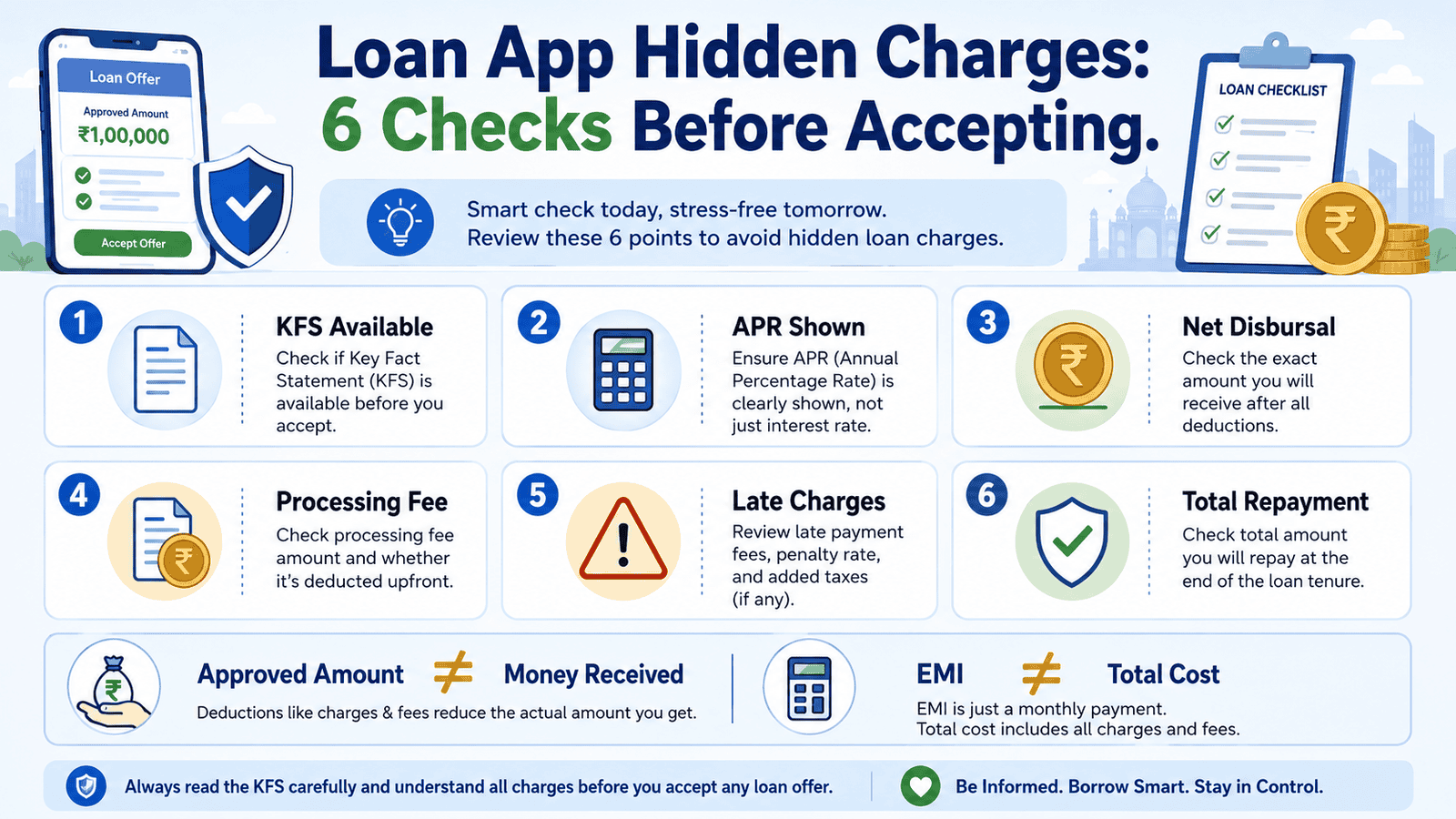
6-Point Safety Checklist: Before You Tap Accept
- KFS available: A Key Fact Statement must be shown to you before you accept any digital loan. If the app skips this step, that is a red flag under RBI’s digital lending directions.
- APR shown: The Annual Percentage Rate (APR) must appear in the KFS. If the app only shows a monthly interest rate or a daily rate, you cannot see the true annual cost.
- Net disbursal clear: The app must tell you how much will actually reach your bank account after all upfront deductions. The sanctioned amount and net disbursal are not always the same figure.
- Processing fee and platform fee declared: Any processing fee, convenience fee, or documentation charge must be stated in writing before acceptance — not discovered in the bank credit advice.
- Late payment and bounce charges stated: The penal charges for missed EMI and mandate bounce must be in the loan agreement or KFS. These fees can raise total dues significantly on short-tenure loans.
- Total repayment amount visible: The KFS or repayment schedule must show the complete amount you will repay — principal plus all interest and charges — so you can compare it with the amount you receive.
Key Takeaways
- Never accept a loan app offer without reading the KFS first — it is the document that shows the full cost of the loan, including APR, fees, and repayment amount, and should be available before you tap accept.
- The sanctioned loan amount and the net disbursal amount are two different figures. Processing fees, GST, platform charges, or convenience fees may be deducted upfront, reducing what reaches your account — while repayment is still calculated on the agreed loan structure.
- APR is a more complete cost measure than a monthly or daily interest rate. On a short-tenure loan with upfront charges, the APR can be significantly higher than the headline interest rate suggests.
- Not all charges in loan apps are illegal — but all charges must be disclosed clearly in writing before acceptance. An undisclosed charge that appears after disbursal is a separate issue from a disclosed fee you chose to accept.
- Save screenshots of every screen, the KFS, the loan agreement, and your bank credit message before and after accepting any digital loan. This proof matters if you need to escalate later.
- Avoid accepting any loan where the app pressures you for a quick decision, where the lender or NBFC name is not visible, or where a fee is demanded before money is disbursed to you.
Key Facts at a Glance
| Charge Type | Where It Should Appear | Red Flag If Missing |
|---|---|---|
| Processing fee | KFS, loan agreement, app charge summary screen | Deducted from disbursal without prior disclosure |
| Convenience or platform fee | KFS or fee schedule shown before acceptance | Appears first in your bank debit advice |
| GST on fees | Itemised in KFS alongside the base fee | Not shown separately; added silently to repayment |
| APR | KFS — mandatory disclosure per RBI digital lending directions | Only a daily or monthly rate shown; no annualised figure |
| Late payment charge | Loan agreement and KFS | Not stated until a payment is missed |
| Mandate bounce charge | Loan agreement | Amount not stated; charged at lender’s discretion |
| Prepayment or foreclosure charge | Loan agreement and KFS | Not mentioned until borrower asks to close loan early |
| Insurance or add-on premium | Separate consent, stated in KFS if included in loan | Added to principal without opt-in |
What Hidden Charges in Loan Apps Actually Mean for Borrowers
“Hidden” does not always mean illegal. It usually means the charge exists in fine print you did not read, on a screen you scrolled past, or in a document you were not shown at all. For a borrower using a loan app for the first time, the most common confusion is between what the app displays and what the formal loan cost document — the KFS — actually says.
KFS vs the App Screen
The Key Fact Statement (KFS) is a standardised cost-disclosure document that RBI-registered lenders and loan service providers (LSPs) must provide before you accept a digital loan. It is not the app’s landing screen. The app screen may show only the approved amount and an EMI figure — designed to look simple and fast. The KFS shows the APR, the net disbursal amount, all applicable fees, the total repayment amount, the grievance redressal officer’s contact, and the cooldown or look-up period.
Before accepting any digital loan, look for the KFS link or document in the app — not just the approval screen. If you cannot find it, ask for it. A legitimate lender is required to provide it. You can read more about what to check item by item in the KFS in digital loans guide. Always verify the real lender’s name in the app — the loan service provider (LSP) is the app; the regulated entity is the actual bank or NBFC lending you money. These are often different names, and the lender name should be clearly visible. You can check if a loan app is RBI approved before trusting any charge disclosure.
APR vs the Interest Rate
A loan app may show you a rate such as “1.5% per month” or “0.08% per day.” These numbers can sound small. The Annual Percentage Rate (APR) takes the interest cost plus certain charges and expresses the full cost as an annualised percentage, giving you a more complete picture of what the loan costs per year. On a very short-tenure loan — say 30 or 45 days — with upfront processing fees, the APR can be far higher than the headline monthly rate suggests. RBI’s digital lending directions require APR to be disclosed in the KFS, so if the app only shows a monthly rate, the KFS should also show the annualised figure.
Net Disbursal vs Sanctioned Amount
If a loan app approves you for ₹10,000, that is the sanctioned loan amount. What you receive in your bank account is the net disbursal amount. These two figures are different whenever fees — processing fee, GST on fees, platform charges, convenience fee — are deducted upfront before the money is sent. Your repayment obligation may still be calculated on the agreed principal and interest structure, even though you received less. This means a borrower who receives ₹8,800 may still owe ₹11,200 at the end of the tenure. That difference is not hidden in a technical sense — it should be in the KFS — but borrowers who only check the approval screen miss it entirely.
Real Example: Ravi’s Loan App Surprise
Ravi, 29, is a salaried employee in Pune earning ₹32,000 per month. Three days before salary, he applied for a ₹10,000 instant loan on an app he had downloaded a month earlier. The approval screen showed ₹10,000 approved, a monthly interest rate of 2%, and an EMI of ₹5,800 for two months — which looked manageable. He tapped accept without reading the KFS.
When the money arrived, his account showed a credit of ₹8,650. The difference: a processing fee of ₹800 plus GST of ₹144 plus a documentation charge of ₹406 — all deducted upfront. His total repayment over two months was ₹11,600. The KFS, which was available as a small link on the acceptance screen, clearly listed the net disbursal as ₹8,650, the APR as approximately 63% annualised (illustrative figure — actual APR depends on lender, tenure, and charges), and the two repayment amounts. Ravi did not notice the KFS link. Had he read it, he could have compared the cost with a bank personal loan or salary advance before accepting. This is an illustrative example; actual charges, net disbursal, and APR will vary by lender, loan amount, and tenure.
Borrower Requirement Checklist: What You Must See Before Accepting
- KFS document available and readable — not just an approval confirmation screen. Look for a “View KFS” or “Loan Summary” link before the final accept button.
- Regulated lender or NBFC name clearly stated — the actual bank or NBFC name, not just the app’s brand name. You are borrowing from the lender, not the app.
- Net disbursal amount shown — the exact amount that will reach your bank account, after all deductions, stated before you accept.
- Repayment schedule or total repayment amount shown — how much you owe, on which dates, and what the total amount is across all payments.
- All charges listed in writing — processing fee, GST, platform fee, late payment charge, bounce charge, and any insurance premium. Not verbal, not via a notification after acceptance.
- Grievance redressal officer contact visible — the lender’s official complaint contact, which RBI requires to be available in the loan agreement and often the KFS.
If any of these are missing before you accept, ask the lender for the KFS or loan agreement and review it carefully. A broader safe instant loan checklist can help you check the app itself before even reaching the acceptance stage.
How to Calculate the Real Cost of a Loan App Offer
The simplest way to understand the real cost is to compare three numbers: what the app approved, what reaches your account, and what you will repay in total.
Real cost = Total repayment amount − Net disbursal amount
Where: Total repayment = all EMIs or bullet payments across the full tenure | Net disbursal = amount credited to your bank account after upfront deductions
Illustrative Example — ₹10,000 Loan
| Item | Illustrative Amount | Borrower Warning |
|---|---|---|
| Sanctioned loan amount | ₹10,000 | This is what the app shows on approval |
| Processing fee (illustrative) | ₹800 | Deducted before disbursal — verify in KFS |
| GST on processing fee (18% illustrative) | ₹144 | Added on top of processing fee — check KFS |
| Net disbursal (illustrative) | ₹9,056 | Actual amount reaching your bank account |
| Total repayment — 2 months at 2%/month (illustrative) | ₹10,400 | Principal + interest only; does not include any late fees |
| Real cost to borrower (illustrative) | ₹1,344 | Total repayment minus net disbursal — the true out-of-pocket cost |
All figures above are illustrative only and are not representative of any lender’s actual charges. Real processing fees, GST treatment, and interest rates vary by lender, loan type, and tenure. The APR on a loan like this — where upfront charges reduce the effective principal while repayment is based on the sanctioned amount — is typically much higher than the headline monthly rate. To understand why APR is a more reliable cost measure, read the full explanation of APR on digital loans.
Safe Charge Disclosure vs Risky or Misleading Charge Disclosure
| Safe Sign | Risky or Misleading Sign | What Borrower Should Do |
|---|---|---|
| KFS shown with APR, net disbursal, all fees, and total repayment before acceptance | Only EMI and approved amount shown; no KFS link | Ask for KFS or loan agreement; do not accept without it |
| APR stated as an annualised figure in the KFS | Only daily or monthly interest shown; APR absent | Calculate annualised cost or compare with lender who shows APR |
| Net disbursal amount stated clearly — lower than sanctioned amount due to disclosed deductions | Disbursed amount is lower than approved, with no prior disclosure of what was deducted | Ask for itemised deduction breakdown in writing before contacting lender’s grievance channel |
| Regulated lender or NBFC name visible in app and loan agreement | Only app brand name shown; no lender or NBFC name | High Risk Do not proceed; verify lender identity via RBI’s public register |
| Grievance redressal officer contact stated in KFS or loan agreement | No complaint contact shown; app only has a chat bot | Confirm with lender directly; unregulated apps may not have a GRO |
| Late payment and bounce charges stated in advance | Penalty amount not stated; told verbally or at time of default | Ask for charge schedule in writing before accepting |
What to Do If a Loan App Charged You Unexpectedly
| Step | Action | Proof to Keep |
|---|---|---|
| 1 | Save screenshots of every app screen — approval, acceptance, disbursal confirmation, and repayment demand | App screenshots with timestamps; bank credit SMS or notification |
| 2 | Download or save the KFS and loan agreement from the app | PDF of KFS and loan agreement with date |
| 3 | Compare the charge in dispute with what the KFS and loan agreement state | Marked copy of KFS showing the discrepancy |
| 4 | Contact the lender or NBFC grievance redressal officer in writing — email or app complaint channel — asking for an itemised fee breakup | Copy of your complaint and any reply received |
| 5 | If the lender does not resolve the complaint within the timeframe stated in the loan agreement, escalate to RBI’s complaint management system at cms.rbi.org.in | Your complaint reference number and lender’s response (or non-response) |
| 6 | If the charge is linked with fraud, threats, data misuse, or impersonation — not just a fee dispute — file a report at the National Cyber Crime Portal (cybercrime.gov.in) | Screenshots, call recordings if any, loan app name, and contact details |
Do not ignore legitimate dues while a complaint is pending. If you owe a repayment and there is a genuine dispute on a separate charge, pay the undisputed portion on time and raise the dispute in writing. This protects your credit record while the complaint is handled. Complaint outcomes depend on the facts, evidence, and applicable rules — no outcome can be guaranteed.
The KFS is available, the APR is shown, net disbursal is clearly stated, all charges are disclosed, and the total repayment is affordable on your salary — proceed with informed acceptance.
The KFS is available but the APR looks significantly higher than you expected after including upfront fees — pause and compare with a bank personal loan or salary advance before accepting.
The KFS is missing, the lender name is not visible, or the disbursal amount is lower than approved with no prior explanation — do not accept. Ask for the KFS and written charge breakdown first. You can check if a loan app is RBI approved before proceeding.
The app is asking you to pay any fee, security deposit, or processing charge before disbursing the loan to your account — stop immediately. Legitimate lenders deduct fees from the loan amount; they do not demand upfront payment before disbursal.
Your existing EMI obligations are already above 40–50% of your monthly income — pause before adding another short-tenure loan app repayment, even if it looks small. A missed payment triggers late fees and may affect your credit record.
You are not certain whether the lender is RBI-regulated, or the app feels rushed, unclear, or pressure-based — do not accept. Look for a bank or NBFC-linked product with a transparent KFS and a named grievance officer instead.
Common Mistakes to Avoid
Judging the Loan Only by the EMI Amount
An EMI of ₹2,000 per month can look affordable. But if the tenure is very short and upfront fees have reduced your net disbursal, the actual cost may be much higher than a bank loan with a larger EMI over a longer period. Always compare total repayment, not just the monthly figure.
Ignoring the Difference Between Sanctioned Amount and Net Disbursal
Many borrowers assume the approved amount is the amount they will receive. Upfront fee deductions reduce net disbursal. Accepting without checking this number means you may take on more repayment than the actual cash you needed.
Not Saving the KFS Before Accepting
Once you tap accept, the loan agreement is binding. If you did not save or screenshot the KFS, it becomes harder to dispute a charge later. Download or screenshot the KFS before you accept, not after.
Accepting Under Time Pressure
Loan apps sometimes show countdown timers or “offer expires soon” messages. A legitimate lender will not penalise you for taking ten minutes to read the KFS. Pressure to accept quickly — without reading documents — is a behavioural red flag regardless of whether the app is regulated.
Granting Unnecessary App Permissions
Some loan apps request access to contacts, gallery, or location beyond what is needed for KYC or credit assessment. RBI’s digital lending guidelines restrict which data points a regulated lender can collect. Giving excessive permissions can create privacy and harassment risks. Check what permissions you are granting before installing or proceeding.
Assuming No KFS Means No Charges
An app that does not show you a KFS is not a cheaper or simpler option. It may simply mean the charges have not been disclosed — which is a problem, not a feature.
Not Checking the Lender Name Against RBI’s Public Register
The app name and the lending entity name are often different. If you cannot find the actual bank or NBFC name anywhere in the app, you cannot verify whether the entity is RBI-regulated. Look for this name before accepting.
When a Loan App May Not Be the Right Choice
If the APR is very high — significantly above what a bank or NBFC personal loan would charge for a similar amount — a loan app may not be the cheapest option even if the EMI fits your immediate budget. Short-tenure app loans with upfront charges can carry high annualised costs for a small convenience.
If your entire repayment depends on the next salary credit with no buffer — and you have existing EMIs — any delay in salary payment or unexpected expense could push you into a missed-payment situation, triggering late fees and credit score impact simultaneously.
If the app does not show the lender’s name, does not provide a KFS, uses aggressive or threatening language, or demands a fee before disbursal — these are signs that the loan may not be from a regulated entity, and the risk to your money, data, and credit record is significant.
If you already have high EMI stress — where your existing loan repayments are consuming a large share of your monthly income — adding a short-tenure app loan with high fees may worsen your repayment burden without solving the underlying need.
If any of these apply to your situation, it may be worth exploring other options before committing.
Official Rules and Where to Verify
The primary regulatory authority for digital lending in India is the Reserve Bank of India (rbi.org.in). RBI has issued directions on digital lending — including rules on KFS disclosure, APR display, net disbursal transparency, data consent, and grievance redressal — that apply to all RBI-regulated entities and their loan service providers. The specific directions and their applicability can change with RBI policy updates.
- RBI — rbi.org.in: For digital lending directions, KFS and APR disclosure requirements, the public register of regulated entities, and the RBI complaint management system (cms.rbi.org.in).
- National Cyber Crime Portal — cybercrime.gov.in: For reporting fraud, impersonation, data misuse, threats, or illegal activity linked to a loan app.
- Relevant bank or NBFC official website: To verify the actual lender’s charges, grievance officer contact, repayment terms, and loan agreement. The lender’s website — not the app — is the authoritative source for their current fees.
For a full explanation of what RBI’s digital lending rules mean for borrowers in plain language, the RBI digital lending rules guide covers regulated entity obligations, borrower rights, and the complaint process in detail. Since Stale Data Risk is High for this topic, verify the latest RBI directions, circular references, and complaint escalation process from rbi.org.in before making any borrowing or complaint decision.
Rules, rates, charges, and eligibility conditions can change. Always verify current details from the official source, lender, or relevant regulator before making a financial decision.
Expert Tips
- Screenshot every important screen before tapping accept — the approval page, the KFS, the charge summary, and the acceptance confirmation. This takes 60 seconds and gives you evidence if any charge is later disputed.
- Compare “amount received” with “amount to repay” before accepting — not after. If the app does not show both figures clearly in the KFS, ask for them. The difference is your real cost, and it may surprise you.
- Never pay money to receive a loan. Legitimate lenders deduct any upfront fee from the disbursed amount — they do not ask you to transfer money to them before your loan credit arrives. Any app that asks for a “security deposit,” “registration fee,” or “processing charge” as a payment before disbursal is unsafe.
- Prefer lenders with a clearly named grievance redressal officer. RBI-regulated entities must have one. The name and contact should appear in the KFS or loan agreement. If there is no grievance contact, the app may not be from a regulated entity.
- Set a repayment reminder two or three days before the due date. On short-tenure app loans, a single missed payment can trigger a late charge plus a mandate bounce charge on the same cycle — compounding the cost quickly. Automate the alert.
- If you are unsure about an app, check for fake-app signs before applying. The red flags — no lender name, no KFS, upfront payment demands, excessive permissions — are present before you even reach the acceptance screen. Learn how to identify fake loan apps before applying.
Frequently Asked Questions
What are hidden charges in loan apps?
Hidden charges are fees, deductions, or penalties that increase your real borrowing cost beyond the EMI or approved amount shown on the app’s main screen. They include processing fees, GST on fees, platform or convenience charges, late payment fees, mandate bounce charges, and prepayment charges. Not all of these are illegal — but all of them must be disclosed clearly in writing, typically in the KFS, before you accept the loan.
Where can I see all charges before accepting a loan app offer?
The Key Fact Statement (KFS) is the document you must look for before accepting. It should be available as a link or document on the acceptance screen — before you tap the final confirm button. The KFS must include the APR, net disbursal amount, all fees, the total repayment amount, and the grievance redressal officer’s contact. If you cannot find the KFS, ask the app’s support channel for it before accepting.
What is the difference between a processing fee and APR?
A processing fee is a one-time charge deducted from your loan amount — often upfront before disbursal. The APR (Annual Percentage Rate) is a broader, annualised measure of the total cost of the loan, which may include interest and certain charges expressed as a percentage per year. The APR helps you compare loans more accurately than a monthly interest rate alone, especially on short-tenure loans where upfront fees have a large impact on real cost.
Can a loan app deduct charges before disbursing my loan?
Yes — legitimate lenders may deduct processing fees, platform fees, or GST on fees from the sanctioned loan amount before crediting the net amount to your account. This is not inherently illegal. What matters is whether this deduction was disclosed clearly in the KFS before you accepted. If the deduction was not mentioned anywhere before acceptance and you discover it only when the money arrives, that is a disclosure failure — and grounds for a formal complaint to the lender’s grievance channel.
Are late payment charges and bounce charges legal in loan apps?
Yes, lenders may charge late payment fees and mandate bounce charges. These are permissible under loan agreements. However, the amount and conditions must be stated in the loan agreement and ideally the KFS before you accept. If the charge amount was not disclosed in advance, raise a formal written complaint with the lender’s grievance redressal officer. Verify the current regulatory position from RBI (rbi.org.in) as rules can change.
What should I do if the app charged more than what the KFS stated?
First, compare the exact charge in dispute against what the KFS and loan agreement state — ideally using a saved screenshot or PDF. If the charge is higher than what was disclosed, contact the lender’s grievance redressal officer in writing, referencing the KFS figure and the actual charge applied. If the lender does not resolve the complaint within the period stated in their grievance policy, you may escalate to RBI’s complaint management system at cms.rbi.org.in.
How do I complain about undisclosed loan app charges?
Start with the lender’s own grievance channel — the grievance redressal officer’s contact should be in the KFS or loan agreement. Put your complaint in writing and keep a copy. If the lender does not respond or resolve it within a reasonable timeframe, escalate to RBI’s complaint management system (cms.rbi.org.in). If the situation involves fraud, threats, impersonation, or data misuse — not just a fee dispute — file a report at the National Cyber Crime Portal (cybercrime.gov.in). Complaint outcomes depend on the facts and applicable rules; no specific outcome can be guaranteed.
What if I cannot find the lender’s name in the loan app?
This is a significant red flag. The actual bank or NBFC lending you money must be identified in the app and loan agreement. If only the app brand name is visible — with no regulated entity name — you cannot verify whether the lender is RBI-registered. Do not accept the loan until you have confirmed the lender’s identity. RBI maintains a public register of regulated entities on rbi.org.in that you can use to verify a name.
Final Verdict
Hidden charges in loan apps are manageable only when they are disclosed clearly — in writing, in the KFS, before you accept. For any borrower considering an instant digital loan, the six checks in this article — KFS, APR, net disbursal, processing fee, late charges, and total repayment — are non-negotiable before tapping accept. If any of these is missing or unclear, pause. The real cost of a short-tenure loan with upfront deductions is almost always higher than the EMI screen suggests, and the difference between the approved amount and the amount you receive can be significant. Prefer apps from RBI-regulated entities that show the lender name, provide the KFS before acceptance, and state a grievance officer’s contact. Avoid pressure-based flows, apps that ask you to pay before disbursal, and offers where the APR is not shown. If you have already accepted a loan and discovered an unexpected charge, save your documents, contact the lender’s grievance channel in writing, and escalate through official routes if needed. The right approach to hidden charges in loan apps is not to avoid digital lending entirely — it is to check the cost clearly before you commit. Always verify the latest rules, charges, and terms from the relevant official source or provider before making a financial decision.
This article is for educational purposes only and should not be treated as personalised financial, credit, tax, or legal advice. Rules, rates, charges, eligibility criteria, and product terms can vary by provider and may change over time. Please verify current details from official sources, the relevant provider, or a qualified professional before making any financial decision.

Arjun writes clear borrower-safety guides on digital loan apps, RBI digital lending rules, KFS, APR, LSPs, loan app harassment, cybercrime complaints, CIBIL impact, and safer borrowing choices. He focuses on helping Indian borrowers understand risks, protect their data, compare lenders carefully, and use official complaint channels when needed.