
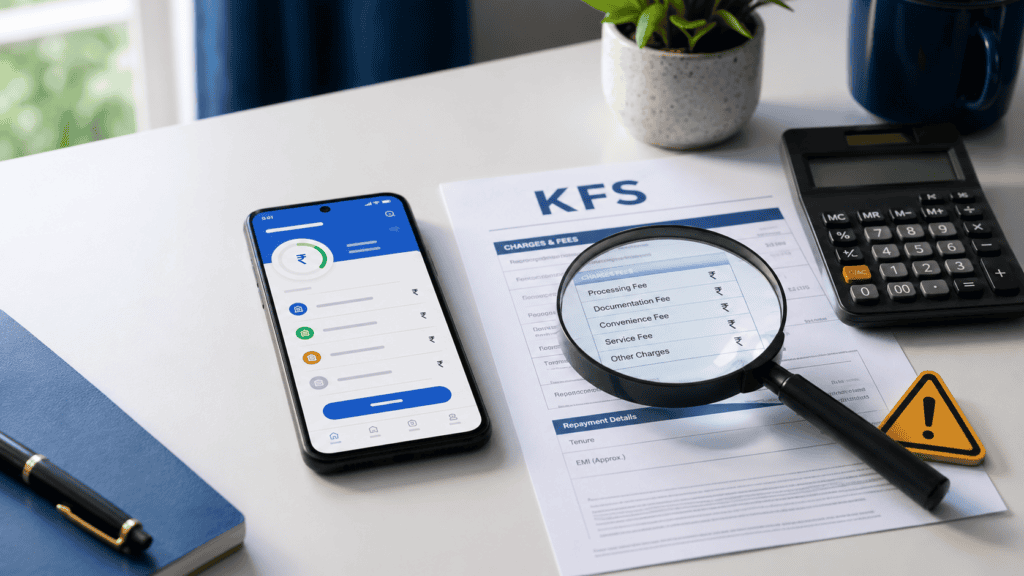
A ₹10,000 loan that arrives in minutes sounds like a solution. But many borrowers tap “Accept” without realising that hidden charges in loan apps can quietly raise what they actually pay back — sometimes by hundreds of rupees. The EMI shown on screen is not the full picture. Upfront deductions, platform fees, GST, late payment charges, and mandate bounce fees can all add up before you receive a single rupee or the moment you miss a due date. This guide gives you a plain-language checklist of every charge to verify inside a loan app before you accept — and tells you exactly what to do if those charges were not clearly disclosed. Fees and rules can change with lender updates; always verify figures directly from the lender’s KFS and current documents before borrowing.
Quick Answer: What Charges Should You Check First?
Hidden charges in loan apps can include processing fees, platform fees, GST, late payment charges, mandate bounce charges and foreclosure charges. Before accepting, check the Key Fact Statement, APR, net disbursal amount and total repayment. For example, a ₹10,000 loan with ₹800 in fees may cost more than the EMI suggests — always verify the exact fee figure from the lender’s KFS before accepting.

Loan App Hidden Charges Checklist
Before you tap “Accept” on any loan app offer, run through each charge type below. Not all apps disclose every charge upfront — that is exactly the risk. Use this checklist as your pre-acceptance screen. For a broader safety review before you even apply, see our safe loan app checklist.
| Charge Type | Where It Appears | What to Check |
|---|---|---|
| Processing fee | Deducted before disbursal or added to repayment | Is the exact rupee amount or percentage shown in the KFS? Is repayment calculated on the sanctioned amount or amount received? |
| Platform or convenience fee | Charged by the Lending Service Provider (LSP), not always by the lender | Is this fee separate from the processing fee? Is it shown before acceptance? |
| GST on fees | Applied on processing fee, platform fee, and other service charges | Is GST calculated and shown clearly in the fee breakup? Does it change your net disbursal? |
| Late payment and penal charges | Applied after missed EMI or delayed repayment | What is the per-day or per-month penalty rate? Is it disclosed in the KFS or loan agreement? |
| Mandate bounce charge | Applied if the auto-debit mandate fails due to insufficient balance | Is the bounce charge amount stated before you sign the NACH/e-mandate? |
| Foreclosure or prepayment charge | Applied if you repay the loan before the tenure ends | Is there a lock-in period? Is the foreclosure charge percentage stated clearly? |
One Rule to Apply to Every Charge Above
If a charge is not shown clearly in the Key Fact Statement (KFS) before you accept the loan, that is a reason to pause and ask the lender for a written breakup — not to ignore it. Verify all figures from the lender’s current documents before borrowing. The rates and amounts used in this article are illustrative examples only.
Key Takeaways
- The EMI shown in a loan app is not the full cost. On a ₹10,000 loan with an upfront fee of several hundred rupees, you may receive less than ₹10,000 but still repay the full sanctioned amount — raising your effective borrowing cost significantly.
- Always check the net disbursal amount — the actual amount credited to your bank account — before accepting. If the app only shows the sanctioned amount, ask for the fee-adjusted disbursed figure.
- APR (Annual Percentage Rate) includes fees and interest together and is a broader measure of cost than the headline interest rate. An app showing a low interest rate may still carry a high APR once platform fees are added.
- The Key Fact Statement (KFS) is where the lender must disclose all important loan cost details before you accept. If the KFS is not made available to you, that is a significant concern.
- Avoid loan apps that do not clearly name the RBI-regulated lending entity (bank or NBFC) or do not provide a grievance redressal officer contact — both are required under RBI’s digital lending guidelines.
- If charges after disbursal differ from what was shown before acceptance, save all screenshots, SMS, emails, and the KFS — these form your evidence for a formal grievance.
Key Facts at a Glance
| Term | What It Means | What You Should Check |
|---|---|---|
| Sanctioned amount | The loan amount the lender approves on paper | Is this the amount your repayment is based on? |
| Net disbursal amount | The actual amount credited to your account after upfront deductions | Does the KFS show both sanctioned and net disbursal separately? |
| Interest rate | The rate applied on the outstanding principal only | Is it a reducing-balance rate or a flat rate? Flat rates cost significantly more. |
| APR (Annual Percentage Rate) | A broader cost measure that includes interest plus fees expressed as an annual rate | Is the APR visible in the KFS? Is it significantly higher than the stated interest rate? |
| Processing / platform fee | A one-time charge for processing the loan, sometimes split between lender and LSP | Is the rupee amount or percentage confirmed before acceptance? Is GST included? |
| Penal charges | Extra charges for late payment, missed EMI, or mandate bounce | What is the per-day or per-instance rate? Is it disclosed in the KFS or agreement? |
| Total repayment amount | Principal + total interest + fees — the full amount you pay back over the loan tenure | Is this figure shown clearly in the repayment schedule or KFS? |
For a deeper explanation of the Key Fact Statement and what each field must contain, see our guide on how to read the KFS before accepting any digital loan.
Where Hidden Charges in Loan Apps Actually Appear
Most borrowers encounter charges at four points in a digital loan journey — and only one of those points is obvious.
Step 1 — Before disbursal: the silent deduction
Processing fees, platform fees, and GST are often deducted from the sanctioned amount before the loan reaches your bank account. You apply for ₹10,000, you receive ₹9,200 — but your repayment obligation is still calculated on the full ₹10,000. This gap between sanctioned and received amount is the most common source of borrower surprise. The KFS must disclose both figures separately.
Step 2 — In the loan agreement and KFS fine print
The Key Fact Statement (KFS) is a standardised document that RBI’s digital lending framework requires regulated lenders to provide before a borrower accepts a loan. It must contain: the sanctioned amount, net disbursal, APR, repayment schedule, all fees and charges, and the grievance redressal officer’s contact. If a loan app shows you a KFS that is vague, missing charges, or not available before acceptance — pause and verify.
A Lending Service Provider (LSP) is a third-party platform that facilitates the loan on behalf of the regulated lender (bank or NBFC). An LSP may charge a platform or convenience fee that is separate from the lender’s processing fee. Both charges should appear in the KFS. Many borrowers do not realise that the app they are using may be an LSP, not the lender — and that the actual regulated lending entity’s name must still be visible in the loan documents.
Step 3 — In the repayment schedule and auto-debit mandate
Short-tenure loans — 30, 45, or 90 days — can carry penal charges that add up quickly per day if you miss a payment. Mandate bounce charges apply every time an auto-debit instruction from the lender’s NACH mandate fails because your account balance was insufficient. These charges are sometimes shown only in a separate terms section rather than the main repayment screen. Look for them specifically before signing the mandate.
Step 4 — Charges that appear only after you select a tenure
Some apps show a lower processing fee for shorter tenures and a higher one for longer tenures — but display only a summary before you select your tenure. Always reach the final pre-acceptance screen where the full fee schedule should be visible before making a decision.
Real Example: Ravi Checks the KFS Before Accepting
Ravi, 29, works as a junior accounts executive in Pune and earns ₹38,000 per month. His two-wheeler repair bill is ₹9,500 and he needs money before his next salary date. He finds a loan app offering ₹10,000 with a 45-day tenure and a “low interest rate.” The approval arrives in under two minutes.
Before tapping “Accept,” Ravi checks the KFS. He notices that the sanctioned amount is ₹10,000, but the net disbursal amount listed is ₹9,100 — after a processing fee and platform fee, both attracting GST. His total repayment is listed as ₹10,480 over 45 days. The app also shows a penal charge for missed payments. Ravi realises that he is effectively paying over ₹1,300 more than the ₹9,100 he will actually receive. He downloads the KFS, screenshots the charge screen, and decides to compare the total repayment cost with a salary advance from his employer before committing. Before borrowing from any new app, Ravi also checks whether the app and its lending partner are regulated — you can do the same by learning how to check if the app is RBI approved.
Note: This is a fictional illustrative example. Actual fees, charges, and repayment figures vary by lender and should be verified from the lender’s current KFS and loan documents before accepting any offer.
How to Calculate the Real Cost of a Loan App Offer
Do not compare loan apps by EMI alone. Here is a simple cost check using illustrative figures — verify all actual figures from your lender’s KFS.
Effective Cost = (Total Repayment Amount − Net Disbursal Amount) ÷ Net Disbursal Amount × 100
Where: Total Repayment = principal + total interest + all fees | Net Disbursal = sanctioned amount minus upfront deductions
| Illustrative Scenario | Loan A | Loan B |
|---|---|---|
| Sanctioned amount | ₹10,000 | ₹10,000 |
| Upfront fee (processing + platform + GST) | ₹800 | ₹400 |
| Net disbursal (amount you receive) | ₹9,200 | ₹9,600 |
| Total repayment (end of tenure) | ₹10,600 | ₹10,700 |
| Effective cost on amount received | ₹1,400 on ₹9,200 | ₹1,100 on ₹9,600 |
| Which is better? | Higher effective cost | Lower effective cost |
All figures above are illustrative examples only. Loan A’s lower interest rate headline is misleading once the higher upfront fee is accounted for. Always compare total repayment on the amount actually received. To understand the difference between stated rate and full borrowing cost, read our guide on how to understand APR on loans.
Charge Disclosure Comparison: What Is Normal vs What Needs Caution
| Charge or Disclosure | What It Signals | What to Do |
|---|---|---|
| Processing fee shown clearly in KFS before acceptance, with GST | Normal — verify amount | Confirm the rupee amount and verify net disbursal |
| Platform fee shown separately and disclosed before acceptance | Normal — verify amount | Check whether it is charged by lender or LSP and add to total cost |
| Penal charges mentioned only in the long-form agreement, not the KFS summary | Be cautious | Ask for the charge schedule in writing before accepting; note the per-day or per-instance rate |
| KFS not provided before acceptance, or only available after tapping “Accept” | Avoid or escalate | Do not accept. Ask the lender to provide the KFS upfront. Raise a grievance if refused. |
| Lender name (bank/NBFC) not clearly visible in the app or loan documents | Avoid or escalate | Do not proceed. Verify the regulated entity from RBI’s official list before borrowing. |
| No grievance officer contact or no escalation path shown | Avoid or escalate | A regulated lender must provide a grievance redressal officer. Absence is a serious gap — verify before accepting. |
What to Do If Charges Were Not Clearly Disclosed
If you discover — before or after accepting — that a loan app has charged more than shown or has not disclosed all charges, follow these steps in order.
| Step | Action | Proof to Save |
|---|---|---|
| 1 | Screenshot everything immediately — fee screen, KFS, repayment schedule, transaction confirmation, all SMS and in-app messages | Screenshots with date/time, KFS PDF, bank SMS, transaction history |
| 2 | Ask the lender or app in writing for a complete fee breakup including principal, interest, processing fee, platform fee, GST, and any penal charges applied | Written request via email or in-app message; keep the reply |
| 3 | Raise a formal grievance with the lender or NBFC using the grievance officer contact that should be in the KFS or loan agreement | Grievance ticket number, written acknowledgement, and response timeline |
| 4 | If the lender does not resolve the complaint within the stated timeline, escalate to RBI’s Integrated Ombudsman Scheme at rbi.org.in | All prior correspondence, lender complaint reference, and KFS copy |
| 5 | If the situation involves fraud, impersonation, threats, abusive recovery calls, or data misuse — file a complaint at cybercrime.gov.in (National Cyber Crime Portal) | Call recordings, screenshots of threats or abusive messages, transaction proof |
Do not ignore a legitimate due while a complaint is open. Continue repaying what was clearly agreed while the dispute on undisclosed charges is being resolved.
Safety Checklist: Is This Loan App Safe to Proceed With?
Run through this checklist before accepting any digital loan offer. If you are unsure about any point, pause before proceeding. For warning signs that may indicate a fake or unsafe app, see our guide to identify fake loan apps.
| Check | Safe Sign | Risk Signal |
|---|---|---|
| Lender identity | RBI-regulated bank or NBFC name is clearly visible in the app and documents | Only the app name is shown; no lender entity name or registration number |
| KFS availability | KFS is available to read and download before you tap “Accept” | KFS is not shown, or appears only after accepting |
| APR and total repayment | APR and total repayment amount are stated clearly in the KFS | Only the interest rate is shown; APR and total repayment are absent |
| Net disbursal amount | KFS shows both sanctioned and net disbursal amounts separately | Only the sanctioned amount is shown; net disbursal after fees is not disclosed |
| App permissions | App requests only storage, camera (for KYC), and notification access | App requests access to contacts, call logs, location, or photos without clear reason |
| Grievance officer | Grievance officer name and contact are in the KFS or loan agreement | No grievance contact is provided, or complaints go to a generic chatbot only |
| Acceptance pressure | Offer is available for you to review at your own pace | App uses countdown timers, repeated notifications, or threatens cancellation to rush acceptance |
How to Decide What’s Right for You
the KFS clearly shows net disbursal, APR, total repayment, and all charges — and the lender is an RBI-regulated entity — you can proceed with confidence after confirming the repayment fits your monthly income without stress.
the processing and platform fees together reduce your net disbursal by more than 10% of the sanctioned amount, recalculate the effective cost on the amount actually received and compare with a bank personal loan or salary advance first.
the app applies a short repayment tenure — 15 or 30 days — that does not align with your salary credit date, the risk of a missed payment and penal charges is high; confirm the due date against your salary schedule before accepting.
your existing EMIs already account for 40% or more of your monthly income, taking a new loan app loan may push your repayment burden beyond a manageable level; explore salary advances or interest-free credit options first.
the lender name, KFS, APR, and grievance officer are all visible before acceptance — do not proceed. Ask the lender in writing to provide these before you commit to the loan.
you can repay the total amount without needing another loan app to cover it — borrowing now will deepen the debt cycle rather than resolve your emergency; consider delaying or reducing the loan amount first.
Common Mistakes to Avoid
Comparing only the EMI, not the total repayment
Many borrowers approve a loan because the monthly or 45-day repayment amount looks manageable.
The EMI does not show upfront deductions, penal charges, or mandate bounce fees — all of which add to what you actually pay. A ₹10,000 loan with a small EMI can carry a high effective cost once fees are included.
Always check the total repayment figure in the KFS before comparing loan options.
Ignoring the net disbursal amount
The sanctioned amount and the amount credited to your account are often different because of upfront deductions.
If repayment is based on the sanctioned amount, you are paying interest and principal on money you never received. This gap can significantly raise the effective borrowing cost on short-tenure digital loans.
Ask for the net disbursal amount in writing before accepting. It must appear in the KFS.
Accepting without downloading the KFS
The KFS is your primary charge document. Many borrowers scroll past it or accept without reading it.
Without the KFS, you have no documented proof of what charges were disclosed before acceptance — which weakens your position if charges later differ. Download and save the KFS before tapping “Accept,” not after.
Missing late payment and mandate bounce charge disclosures
These charges can appear in a separate “Terms and Conditions” section rather than the main offer screen.
On a short-tenure loan, a single missed payment or a failed auto-debit can trigger charges that increase the total repayment amount noticeably. Check the per-day or per-instance penal rate before committing.
Not saving screenshots before raising a complaint
Once you tap “Accept,” some apps update the loan details screen and the pre-acceptance offer may no longer be accessible.
If charges differ from what was shown, you need screenshots of the offer, the fee screen, and the KFS taken before acceptance to support a formal grievance. Take and store these before accepting any loan app offer.
Assuming the app is the lender
Many loan apps are Lending Service Providers (LSPs), not the regulated lenders themselves. The actual regulated entity is the bank or NBFC behind the app.
If the app does not clearly name the regulated lender, you may not know who to raise a grievance with — or whether the lender is RBI-registered at all. Always identify the regulated entity before accepting.
When This May Not Be the Right Choice
A digital loan app may not be the right option in these situations:
Charges are not clearly disclosed. If the KFS is absent, incomplete, or available only after acceptance, proceeding without full cost visibility increases the risk of an unexpected repayment burden.
The tenure is shorter than your income cycle. A 15-day or 30-day loan due before your salary credit date forces you to find repayment funds from another source — raising the risk of a missed payment and penal charges.
Your existing EMI burden is already high. If your monthly EMIs and fixed obligations already use a large portion of your income, a new loan app repayment may make day-to-day expenses difficult to manage.
The app requests unnecessary permissions or does not name the regulated lender. These are signals that the app may not be operating within RBI’s digital lending framework — and the risk of undisclosed charges or abusive recovery practices is higher.
You are considering this loan to repay another loan app. Using a new loan to repay an existing one is the beginning of a debt cycle that becomes harder to exit with each rollover. If this applies to your situation, it may be worth exploring other options before committing.
Official Rules and Where to Verify
The rules governing digital loan app charges, KFS disclosure, APR, grievance redressal, and regulated entity requirements are set and updated by official bodies. Before accepting any loan or raising a complaint, verify current rules and figures from these sources directly.
- RBI (rbi.org.in): Primary source for digital lending guidelines, KFS framework, Fair Practices Code, APR disclosure requirements, and grievance escalation through the Integrated Ombudsman Scheme. Verify the lender’s regulated status using the list of registered banks and NBFCs on the RBI website.
- National Cyber Crime Portal (cybercrime.gov.in): Use this portal if the charge dispute involves fraud, impersonation, data misuse, abusive recovery calls, or harassment. This is separate from an RBI grievance and applies to criminal conduct linked to digital lending.
- TransUnion CIBIL (transunioncibil.com): If late charges or missed repayments on a loan app lead to adverse reporting on your credit report, check your credit report from the relevant bureau and raise a dispute if the entry is incorrect.
- Your lender’s or NBFC’s official website: Verify current processing fees, penal charges, foreclosure terms, and grievance officer contact directly from the regulated lender — not from the app alone.
For more on how RBI rules apply to digital lending platforms, see our guide to RBI lending rules explained for borrowers. Rules, rates, and charges on this topic can change with RBI policy or lender updates. Always verify current figures directly from the official source or the lender before making any borrowing decision.
Expert Tips
- Screenshot the fee screen before you tap “Accept.” Once accepted, some apps update the loan status screen and the pre-acceptance offer details may no longer be visible. Your screenshot is your evidence if a charge dispute arises later.
- Calculate cost on what you receive, not what you applied for. Divide the total repayment by the net disbursal amount — not the sanctioned amount — to understand what you are actually paying per rupee borrowed. This is the most honest comparison you can make between two loan app offers.
- Check whether the app names the regulated lender clearly. Under RBI’s digital lending framework, the regulated entity (bank or NBFC) must be identifiable in the loan documents. If only the app’s brand name is visible, ask for the lender’s registered name and RBI registration number before proceeding.
- Ask for the KFS in PDF format before accepting. A downloadable KFS gives you a permanent record of what was disclosed before you accepted. An app that does not provide a downloadable KFS creates a documentation gap that disadvantages you in any later dispute.
- Do not accept under a countdown timer. Artificial urgency — “Offer expires in 10 minutes” — is a pressure tactic. A legitimate lender’s offer does not disappear because you paused to read the KFS. If the offer expires while you are reading the charges, that is information about the lender’s practices, not your loss.
- Compare the APR across apps, not just the interest rate. Two apps may quote similar interest rates but different APRs once platform fees, processing charges, and GST are included. The APR gives you a single comparable number — use it.
Frequently Asked Questions
What are hidden charges in loan apps?
Hidden charges in loan apps are fees that are not prominently disclosed before a borrower accepts the loan. These can include processing fees, platform or convenience fees, GST on fees, late payment penalties, mandate bounce charges, and foreclosure charges. They are considered hidden when they are buried in fine print, shown only after acceptance, or not included in the main offer screen. Under RBI’s digital lending guidelines, all charges should be disclosed in the Key Fact Statement before acceptance.
Can a loan app deduct processing fees before disbursal?
Yes, many lenders deduct processing fees, platform fees, and GST from the sanctioned amount before disbursing the remaining balance to the borrower’s account. This means if you apply for ₹10,000, you may receive less. The important point is that the repayment is often still calculated on the full sanctioned amount. The KFS must disclose both the sanctioned amount and the net disbursal amount separately — verify these figures before accepting. The specific fee amounts vary by lender and should be confirmed from the lender’s current documents.
Is APR different from the interest rate shown in a loan app?
Yes, APR (Annual Percentage Rate) is broader than the headline interest rate. The interest rate applies only to the outstanding principal. APR includes the interest rate plus fees — such as processing fees and platform fees — expressed as an annual percentage of the loan amount. Because of this, a loan with a low stated interest rate can carry a significantly higher APR once fees are added. Always look for the APR figure in the KFS, not just the interest rate.
What should I check in the KFS before accepting a loan?
The Key Fact Statement should contain: the sanctioned loan amount, the net disbursal amount (after deductions), the APR, a full repayment schedule with all instalment dates and amounts, a complete list of fees and penal charges, and the name and contact of the grievance redressal officer. If any of these fields are missing or vague, ask the lender to clarify before accepting. Do not proceed without a complete KFS.
Are late payment charges allowed in loan apps?
Lenders may apply penal charges for late or missed payments, but these charges must be disclosed clearly in the KFS and loan agreement before the borrower accepts the loan. The rate, basis (per day, per instance, or percentage), and trigger conditions should all be stated. If late charges were applied without prior disclosure, raise a formal grievance with the lender. Verify current RBI guidelines on penal charge disclosure from rbi.org.in before publishing, as rules may be updated.
What should I do if a loan app charged more than what was shown?
First, save all available evidence — screenshots of the offer screen, the KFS, the repayment schedule, transaction SMS, and any in-app or email communication. Then raise a formal written grievance with the lender’s grievance officer, whose contact should be in the KFS. If the lender does not respond or resolve within the stated timeline, escalate to the RBI Integrated Ombudsman Scheme through rbi.org.in. If the situation involves fraud or harassment, file a complaint at cybercrime.gov.in.
Can I complain to RBI about hidden loan app charges?
You can escalate to RBI’s Integrated Ombudsman Scheme if you have already raised a formal grievance with the lender and did not receive a satisfactory response within the lender’s stated complaint resolution timeline. The Ombudsman process applies to complaints against RBI-regulated entities — banks and NBFCs. If the app you used operates through an unregistered or unregulated entity, the cybercrime portal at cybercrime.gov.in is the appropriate route. Verify the current complaint process and eligibility from rbi.org.in before filing.
Final Verdict
Hidden charges in loan apps are not always illegal — but they become a problem when they are not clearly disclosed before you accept the loan. The EMI alone tells you very little about what borrowing from a digital loan app actually costs. The four numbers that matter are: the net disbursal amount (what you receive), the APR (the full cost including fees), the total repayment amount (what you pay back in full), and the penal charges (what happens if you miss a payment). All four must appear in the Key Fact Statement before you tap “Accept.” If they do not — pause, ask in writing, and verify the lender’s regulated status from RBI’s official website. Borrowers who take two minutes to check these four figures before accepting protect themselves from repayment surprises that are very difficult to dispute after the fact. Always verify the latest rates and terms from the lender or official RBI sources before applying for any loan.
This article is for educational purposes only and should not be treated as personalised financial, credit, or legal advice. Interest rates, processing fees, eligibility criteria, and loan terms vary by lender and can change with RBI policy or lender updates. Please verify current rates and terms directly with the lender or from official RBI sources, or consult a qualified professional, before applying for or accepting any loan.

Arjun writes clear borrower-safety guides on digital loan apps, RBI digital lending rules, KFS, APR, LSPs, loan app harassment, cybercrime complaints, CIBIL impact, and safer borrowing choices. He focuses on helping Indian borrowers understand risks, protect their data, compare lenders carefully, and use official complaint channels when needed.