
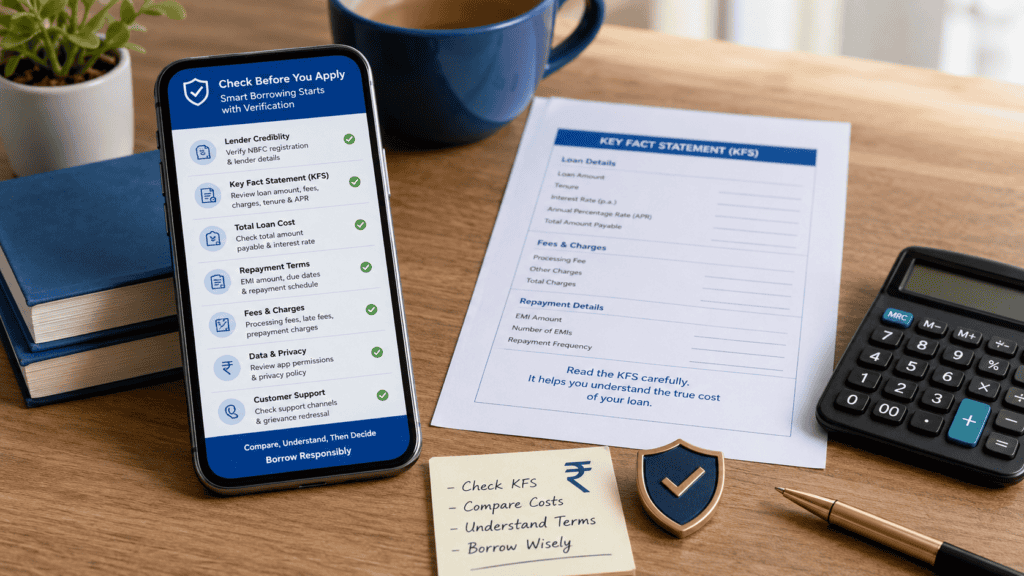
You need ₹10,000 fast. Your phone shows three instant loan app ads. One promises approval in two minutes. Another says no documents needed. A third flashes a low EMI. You tap the one that looks most trustworthy — and share your phone number, Aadhaar number, and contacts list before you’ve read a single line about the actual lender or cost.
This is how most borrowers get into trouble with instant loan apps — not through ignorance, but through urgency. And the risk is real: hidden charges, inflated APR, unnecessary data access, and no clear complaint route can turn a quick loan into a months-long problem.
This article gives you a 12-point pre-application checklist to use before tapping “Apply” or accepting any instant loan. IndiLoan does not certify, approve, or recommend any specific app as safe. What we do is show you exactly what to check — so you can make that judgment yourself, from the source.
Quick Answer: Are Instant Loan Apps Safe?
Safe instant loan apps are not proven by speed or popularity; they need a visible regulated lender, clear KFS, APR, total repayment, limited permissions, and a grievance officer. Before applying, use a 12-point checklist to verify the app, costs, data access, and complaint route.
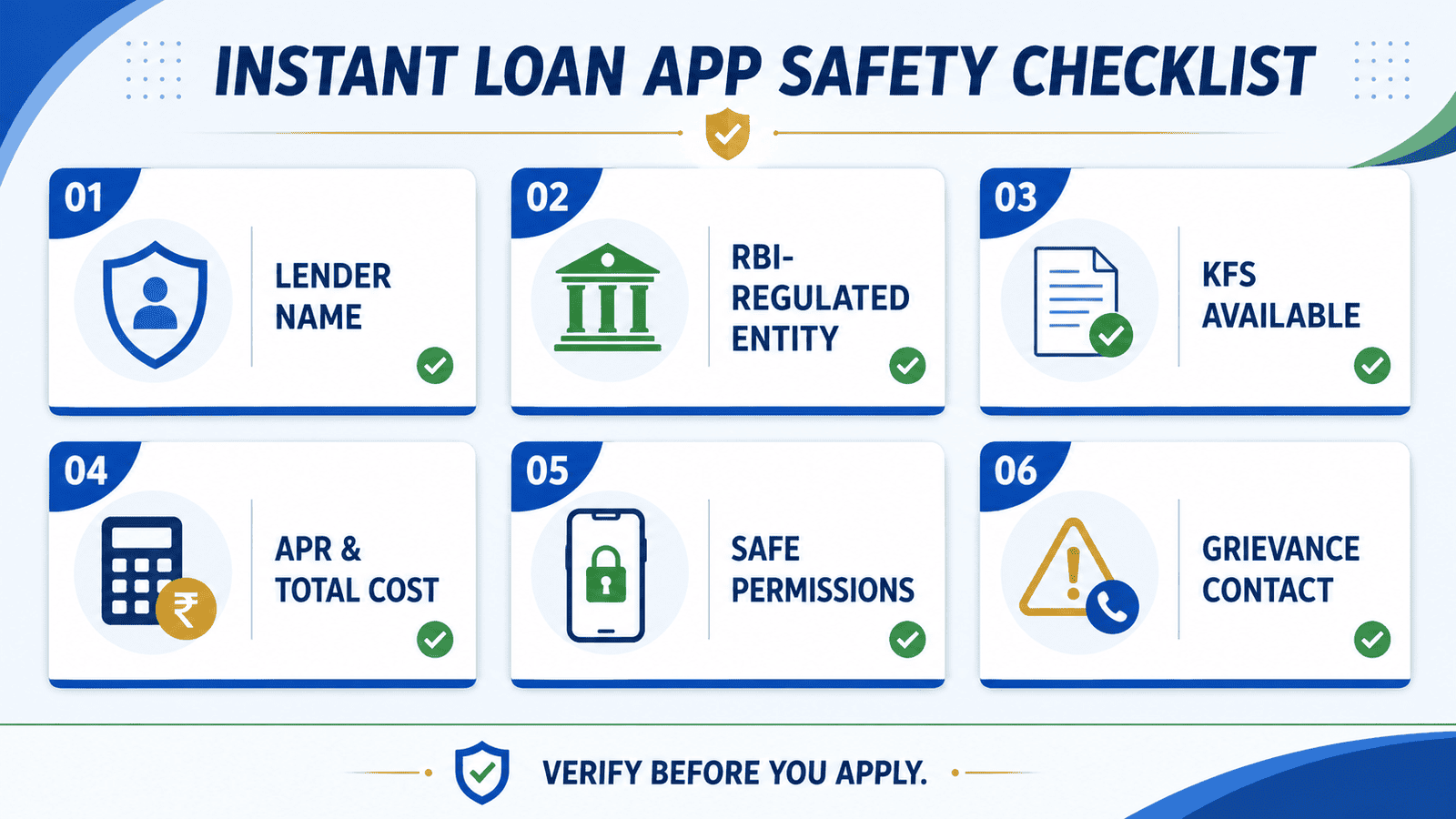
12-Point Pre-Application Checklist
Run through every point below before you share any personal data or tap “Accept Loan.” If even two or three points fail, pause and verify before proceeding.
| Checkpoint | What to Verify | Safer Signal / Risky Signal |
|---|---|---|
| 1. Lender name is visible | The app clearly names the bank or NBFC providing the loan — not just the app brand | Lender named in app / Only app brand shown |
| 2. RBI-regulated entity confirmed | The lender name matches an RBI-registered bank or NBFC — verifiable from official lender or RBI sources | NBFC/bank name traceable / No lender disclosed |
| 3. KFS available before acceptance | A Key Fact Statement is shown before you accept — not after disbursal | KFS shown upfront / Charges shown only after accepting |
| 4. APR clearly stated | Annual Percentage Rate — not just a monthly or daily rate — is disclosed in the KFS or loan summary | APR in % per annum / Only EMI or daily rate shown |
| 5. Net disbursal amount shown | The amount you actually receive — after fees are deducted — is stated before acceptance | Net amount stated clearly / Only loan amount shown |
| 6. Total repayment amount stated | The total you will pay back — principal + interest + all fees — is visible before you accept | Total repayment disclosed / Only EMI mentioned |
| 7. Processing fee and charges clear | All upfront and recurring fees — processing charge, convenience fee, late payment fee — are listed | All fees itemised / Vague “charges may apply” |
| 8. App permissions are limited | The app requests only what is necessary — camera/selfie, KYC document, location for address. It does not demand contacts, photos album, or full SMS access as a condition | Minimal permissions / Contacts/SMS/photos required |
| 9. Repayment channel is official | Repayment goes to the lender’s official account — not to a personal UPI ID or unknown number | Lender’s official account / UPI to unknown ID |
| 10. Grievance officer details visible | The app or lender site lists a named grievance redressal officer, email, and escalation path | Grievance contact listed / No complaint route shown |
| 11. No “guaranteed approval” claims | The app does not promise guaranteed approval, no credit check, or instant sanction for everyone | Realistic eligibility stated / “Guaranteed” or “100% approval” |
| 12. No urgency pressure or countdown | The app does not pressure you to accept immediately or use countdown timers to rush the decision | No artificial pressure / Timer or “Accept now or lose offer” |
Warning Signs: Stop Before You Apply
Beyond the 12-point checklist, certain patterns are strong signals to stop and investigate before sharing any data. Learn to identify fake loan apps before you tap Apply.
| App Permission | Why an App May Request It | Borrower Risk | Safe Action |
|---|---|---|---|
| Contacts | Often requested with no lending purpose; used by some apps to pressure borrowers by contacting relatives during recovery | High — harassment risk | Deny unless lender provides clear reason; avoid apps that block access if denied |
| Photos / Media | Not needed for loan processing beyond KYC document capture; access to full photo library is unnecessary | High — privacy and blackmail risk | Allow only if limited to document or selfie capture; deny full gallery access |
| SMS / Messages | Sometimes used to read OTPs or verify income; full SMS access exposes banking and personal messages | Medium–High | Review what specific access is requested; deny full SMS access where not explained |
| Location | Used for address verification during KYC; general background location access is not necessary | Medium | Allow only during active use for address; deny always-on background location |
| Camera | Needed for selfie, Aadhaar/PAN capture, or video KYC — a legitimate lending use | Low if limited to KYC | Allow for KYC steps only; deny if requested outside that context |
| Microphone | Needed only for video KYC calls; not a general lending requirement | Medium if always-on | Allow only during active video KYC; deny persistent access |
Key Takeaways
- The actual lender — the bank or NBFC behind the app — matters more than the app brand. An app with millions of downloads can still be linked to an unregulated or opaque lender. Always identify who is actually lending the money. See how banks, NBFCs, and loan apps differ before applying.
- The Key Fact Statement (KFS) is the most important document to read before accepting any instant loan. It must be shown to you before you accept — not only after disbursal. If you cannot find it, treat that as a warning sign.
- EMI alone does not show the real cost of borrowing. A ₹10,000 loan with ₹500 in processing fees and a high APR can cost you ₹11,800 in total repayment — even if the monthly EMI looks small.
- Allowing contacts, photos, or full SMS access to a loan app can create serious privacy and harassment risk. Under RBI’s digital lending directions, lenders are expected to collect only what is required — and should explain why any specific access is needed.
- A loan app that promises guaranteed approval, needs no verification, or pushes you to accept in under a minute is exhibiting patterns associated with predatory or fraudulent lending. Stop, screenshot, and verify before proceeding.
Key Facts at a Glance
| What to Check | Why It Matters | Where to Verify |
|---|---|---|
| Lender / NBFC name | The app is not always the lender; the actual regulated entity bears legal responsibility for the loan | App’s “About” or loan agreement; official lender website; check if an app is RBI approved |
| KFS | Required by RBI to be shown before loan acceptance — contains cost, fees, repayment, and grievance details | In-app before acceptance screen; official lender site |
| APR | Shows the true annualised cost including fees — more useful than a daily or monthly rate | KFS; RBI digital lending guidance at rbi.org.in |
| Net disbursal amount | What you actually receive — often lower than the sanctioned amount after fees are deducted upfront | KFS disbursement section; loan agreement |
| Total repayment amount | The real repayment burden — principal, interest, and fees combined | KFS repayment schedule; loan summary screen |
| App permissions | Unnecessary access to contacts, photos, or SMS creates harassment and privacy risk | App store privacy label; device permission settings |
| Grievance officer | Your right to raise complaints — the lender must name an officer and provide contact details | Lender’s official website; KFS grievance section |
| Complaint channel | If complaints are not resolved, borrowers can escalate to RBI or cybercrime portal | rbi.org.in; cybercrime.gov.in; sachet.rbi.org.in |
What “Safe Instant Loan App” Really Means
The phrase “safe loan app” does not exist in any regulatory definition — and that matters. The Reserve Bank of India (RBI) uses a framework of regulated entities (REs), Digital Lending Apps (DLAs), and Loan Service Providers (LSPs) to define who is legally responsible for a loan. Under this framework, safety is not about the app’s interface or download count. It is about whether a regulated lender is behind the loan and whether that lender is following its own disclosure, consent, and grievance obligations.
The Difference Between an App, an LSP, an NBFC, and a Bank
When you download an instant loan app, you may be dealing with any of the following:
A Digital Lending App (DLA) is the front-end interface — the app itself. It may be owned by the lender or by a third-party technology company. The DLA collects your data and passes it to the lending side.
A Loan Service Provider (LSP) is a third-party entity engaged by a regulated lender to source customers, collect documents, or manage the customer interface. The LSP is not the lender. It carries no legal liability for the loan — the regulated entity does.
The regulated entity (RE) — the bank or NBFC — is the actual lender. It is registered with and supervised by the RBI. According to RBI’s digital lending framework (rbi.org.in), the RE bears full responsibility for the loan, regardless of whether an LSP or DLA is used. This is the entity whose name you must identify and verify before applying. You can understand the KFS better by knowing which regulated entity is responsible for issuing it.
A popular app with thousands of 4-star reviews can still be a channel for a lender with weak disclosure practices or high hidden charges. Popularity, speed of approval, and ad spend tell you nothing about whether the underlying loan terms are fair or whether the lender is regulated.
Why Written Disclosures Matter More Than App-Screen Promises
Anything shown on an app loading screen, ad, or banner that is not in the KFS is not binding. Loan approval is always subject to the lender’s assessment of your income, credit score, and existing obligations. No regulated lender can legally promise guaranteed approval. If an app’s marketing says otherwise, that is a warning signal, not a selling point.
Real Example: Amit Checks Before He Applies
Amit, 26, is a salaried employee in Jaipur earning ₹32,000 per month. His younger brother needs hospital admission and Amit needs ₹10,000 quickly. He sees an instant loan app ad on his phone promising approval in two minutes. Instead of applying immediately, he pauses and runs through the checklist.
First, he checks the app’s “About” page. It names an NBFC as the lending partner — a name he has not heard of. He searches for that NBFC online and finds its website, which lists the grievance officer’s email and RBI registration number. That’s a positive signal.
Next, he goes to the loan application screen and finds the KFS before reaching the “Accept” button. The KFS shows: sanctioned amount ₹10,000, processing fee ₹400, net disbursal ₹9,600, total repayment ₹11,200 in three months, and an APR figure noted in percentage per annum. He reads the repayment schedule, notes the due date, and confirms the repayment goes to the NBFC’s official bank account — not a personal UPI ID.
He also checks the app permissions: camera (for selfie), location (for address), and Aadhaar upload. No contacts access. No photo gallery access. He accepts the loan with a clear picture of what he owes, when, and to whom. This is a fictional, illustrative example — loan amounts, fees, and APR vary by lender and borrower profile.
How Loan Costs Can Look Different From What You Expect
The sanctioned amount, the amount you receive, and the amount you repay are three different numbers. Many borrowers discover the gap only after the money hits their account.
Net Disbursal = Sanctioned Amount − Processing Fee − Any Upfront Deductions
Total Repayment = Net Disbursal + Total Interest + Any Late or Other Charges
Below are two illustrative examples using the same sanctioned amount but different fee structures. All figures are illustrative — calculate APR properly using the actual figures in your KFS before accepting.
| Cost Item | Loan Option A (Illustrative) | Loan Option B (Illustrative) |
|---|---|---|
| Sanctioned amount | ₹10,000 | ₹10,000 |
| Processing fee (upfront deduction) | ₹200 | ₹800 |
| Net disbursal (amount you receive) | ₹9,800 | ₹9,200 |
| Interest over tenure (illustrative) | ₹800 | ₹800 |
| Total repayment | ₹10,800 | ₹11,600 |
| Effective cost difference | Lower | Higher — same EMI, different real cost |
Both loans show the same EMI on the app screen. But Option B costs ₹800 more — simply because of a higher upfront processing fee. The only way to catch this before accepting is to read the KFS and check the net disbursal and total repayment, not just the EMI. You should also spot hidden loan charges by going through every fee line in the KFS before tapping Accept.
Safer Signals vs Risky Signals: Quick Comparison
| Area | Safer Signal | Risky Signal |
|---|---|---|
| Lender identity | Bank or NBFC name clearly stated in app and KFS | Only app brand name shown; lender unnamed |
| KFS disclosure | KFS shown before loan acceptance with all fees listed | Charges explained only after accepting or after disbursal |
| APR disclosure | APR stated as % per annum in the KFS | Only monthly rate, daily rate, or flat EMI quoted |
| App permissions | Camera and location for KYC; no contacts or photo gallery | Contacts, SMS, full photo gallery access required |
| Repayment channel | Repayment directed to lender’s official bank account | Repayment to personal UPI ID or unverified account |
| Approval language | Eligibility subject to assessment; no guarantees stated | “Guaranteed approval,” “no CIBIL check,” “100% sanction” |
| Grievance access | Named grievance officer, email, and escalation path in KFS or lender site | No complaint route; only a generic chatbot or toll-free IVR |
If the App Looks Suspicious: What to Do
| Situation | First Action | Complaint Route |
|---|---|---|
| KFS, APR, or lender name not shown before acceptance | Do not accept the loan; ask in writing for the KFS | Raise with lender grievance officer; if unresolved, escalate to RBI (rbi.org.in) |
| App demands contacts, photos, or SMS access as a condition | Deny the permission; do not proceed if the app blocks you | Report suspicious data-access patterns at cybercrime.gov.in |
| Recovery agent contacts your relatives or sends threatening messages | Screenshot all communications immediately; do not pay into unknown accounts | File complaint at cybercrime.gov.in; report to lender grievance officer |
| App appears fraudulent or not linked to any regulated entity | Stop all interaction; do not share further documents or payments | Report at sachet.rbi.org.in and cybercrime.gov.in; save all screenshots |
| App charges not matching what KFS stated | Raise in writing to the lender’s grievance officer with KFS copy as evidence | Escalate to RBI if grievance is not resolved within stated timeline |
the app clearly names a regulated lender, shows the KFS and APR before acceptance, requests only necessary permissions, and provides a grievance officer contact — then you have the basic information needed to make an informed decision. Verify the total repayment and net disbursal before accepting.
the lender is named but the APR is not disclosed in the KFS — then ask for the APR in writing before proceeding. Do not rely on a daily or monthly rate alone to judge the true cost.
the app requests access to your contacts, SMS, or photo gallery as a condition for the loan — then deny those permissions. A regulated lender’s process should not require full contacts or photo album access. If the app blocks your application after denial, treat that as a red flag.
the repayment amount, total cost, or net disbursal is unclear before the acceptance screen — then do not accept. Ask for the KFS in writing. You are entitled to see it before committing.
able to verify the lender’s name, KFS, APR, and grievance route from official sources — then do not proceed with this app. Explore alternatives from your bank, a verified NBFC, or a lender with a clear regulated entity disclosure. Urgency is real, but a week of additional pressure is better than months of a misunderstood or disputed loan.
Common Mistakes to Avoid
Applying Directly Through an Ad Without Checking the Lender
Many borrowers tap an ad and apply without checking who is actually providing the loan. The app brand and the lender are often different entities. A slick app does not guarantee a safe or well-regulated lender behind it.
Before you apply, go to the app’s “About” page, loan agreement, or KFS and find the name of the bank or NBFC. Then search for that entity to confirm it is RBI-registered.
Accepting the Loan Before Reading the KFS
Many borrowers scroll past the KFS screen or assume it contains only legal boilerplate. The KFS is the only document that tells you the net disbursal, total repayment, APR, all charges, and grievance officer before you are committed. Skipping it means you are borrowing without knowing the real cost.
Read every line of the KFS before tapping “Accept.” If the KFS is not shown before acceptance, ask for it in writing.
Comparing Only EMI, Not Total Repayment
A low EMI can disguise a high total cost — especially if the processing fee is large, the tenure is extended, or the APR is high. Two ₹10,000 loans may show an identical EMI but carry total repayment figures that differ by ₹500–₹800 or more, purely because of fee differences.
Always compare net disbursal and total repayment across any two loan options, not just the monthly EMI number.
Allowing Contacts or SMS Access Without Questioning It
Contact list access is one of the most serious permissions a loan app can request. Some apps have used contact data to call borrowers’ relatives, colleagues, or employers during recovery — which RBI’s Fair Practices Code prohibits but which has been widely reported as a problem in the digital lending space.
Deny contacts and full SMS access unless the lender provides a clear, written explanation of why it is necessary. If the app blocks your application after you deny this permission, do not proceed.
Believing “Guaranteed Approval” Claims
No regulated lender can guarantee approval to everyone. Eligibility depends on income, credit score, existing debt, and the lender’s internal assessment. An app that promises guaranteed approval or “no CIBIL check” is either misrepresenting its process or operating outside regulated lending norms.
Treat guaranteed approval language as a red flag, not a benefit.
Ignoring the Grievance Officer Details
Many borrowers only look for a complaint route after a problem occurs. At that point, finding the grievance officer’s contact in an app with no clear navigation can be extremely difficult.
Check the grievance officer’s name and email before you apply — not after. This information should be in the KFS or on the lender’s official website.
When This May Not Be the Right Choice
An instant loan app — even one with a regulated lender and a clear KFS — may not be the right choice in several situations:
If you cannot comfortably repay the full amount by the due date, the late fees and penalty interest on short-tenure digital loans can be steep and compounding.
If the APR is significantly higher than what a bank personal loan or salary advance would cost, the convenience of an instant app may not justify the additional cost.
If you already carry multiple EMI obligations and your FOIR (Fixed Obligation to Income Ratio) is high, adding a short-tenure loan with aggressive repayment terms increases default risk.
If the app requests permissions that feel unrelated to lending — and will not explain why — the data-risk cost may outweigh the loan benefit, regardless of the lender’s regulated status.
If any of these apply to your situation, it may be worth exploring other options before committing.
Official Rules and Where to Verify
India’s digital lending framework is anchored in RBI’s Digital Lending Directions, which set out the obligations of regulated entities (banks and NBFCs), Loan Service Providers, and Digital Lending Apps in relation to disclosure, consent, grievance redressal, and data access. The following are the primary sources you should use to verify any claim made by a loan app or its lender:
- RBI (rbi.org.in) — For digital lending directions, regulated entity obligations, KFS requirements, APR disclosure norms, borrower consent rules, and grievance redressal guidance. The RBI’s Digital Lending Directions are the authoritative source for what any regulated lender must do.
- Lender’s official website — For grievance officer contact, repayment channel details, current processing fees, and loan terms. Do not rely on the app alone — check the official lender site independently.
- Google Play / Apple App Store (play.google.com / apple.com) — For app developer details, privacy labels, declared data access, and app update history. A sudden change in app developer name or a very recent upload with no history warrants caution.
- National Cyber Crime Portal (cybercrime.gov.in) — For reporting fraud, blackmail, data misuse, or threats related to a loan app.
- RBI Sachet Portal (sachet.rbi.org.in) — For reporting suspicious financial entities or doubtful loan app activity.
Rules, rates, charges, and eligibility conditions can change. Always verify current details from the official source, lender, or relevant regulator before making a financial decision.
Expert Tips
- Screenshot the KFS before accepting. Once you tap “Accept,” it may be harder to retrieve the exact pre-acceptance disclosure. Take a screenshot of the KFS — including the net disbursal, APR, total repayment, and grievance officer details — before you confirm.
- Compare net disbursal, not loan amount. If one app offers ₹10,000 with ₹200 in fees and another offers ₹10,000 with ₹900 in fees, you are borrowing the same amount but receiving different sums. Net disbursal is the number that tells you what you actually have to work with.
- Search for the grievance officer before you borrow. Go to the lender’s official website and confirm the grievance redressal officer’s name and contact. If you can’t find it, that is a useful data point — a regulated lender is required to provide this.
- Check the repayment destination. Before your due date, confirm that the repayment link or account details in the app match what is stated in your loan agreement or KFS. Never pay into an account or UPI ID that was sent to you via WhatsApp or SMS and is not verifiable on the lender’s official channel.
- Keep a screenshot of your final repayment confirmation. After paying the last EMI or full amount, save the repayment confirmation from the app and the lender. This is your evidence of closure if the loan is not marked as closed in your credit report.
Frequently Asked Questions
Are instant loan apps safe to use in India?
Some are, and some are not — and the difference lies in the regulated entity behind the app, not the app’s brand or download count. Under RBI’s digital lending framework, the bank or NBFC behind the app bears legal responsibility for the loan terms, disclosures, and recovery conduct. Before using any instant loan app, verify the lender’s name, check the KFS, confirm the APR, and confirm there is a grievance officer. No app should be assumed safe without this verification.
How do I check if a loan app is linked to a regulated lender?
Go to the app’s “About” section, loan agreement, or KFS and find the name of the bank or NBFC that is providing the loan. Once you have that name, search for it on rbi.org.in or the lender’s own website to confirm it is a registered regulated entity. The app brand name alone is not enough — you need the actual lending entity’s name.
What is the most important thing to check before accepting an instant loan?
The Key Fact Statement (KFS). The KFS is a standardised disclosure document that a regulated lender is required to show you before loan acceptance. It contains the loan amount, net disbursal amount, APR, all charges, repayment schedule, and grievance officer details. If an app does not show you the KFS before the acceptance step, do not accept the loan.
Should I allow a loan app to access my contacts or photos?
Generally, no. A regulated lender’s digital KYC process requires camera access (for selfie and document capture), location (for address verification), and in some cases limited SMS access (for OTP). Access to your contacts list, full photo gallery, or complete SMS history is not necessary for legitimate loan processing. Some apps have misused contact data during recovery — which RBI’s fair practices guidelines prohibit. Deny these permissions unless the lender provides a clear, written explanation, and do not proceed with an app that blocks your application after denial.
What is KFS in an instant loan app?
KFS stands for Key Fact Statement. Under RBI’s digital lending directions, regulated lenders must provide a KFS to every borrower before the loan is accepted. It is a standardised, plain-language summary that includes the loan amount, net disbursal amount, APR, all upfront and recurring charges, the repayment schedule, prepayment conditions, and the grievance officer’s contact. Think of it as the one document that tells you exactly what the loan will cost — before you are committed.
Why is APR more important than only checking EMI?
EMI tells you the monthly payment amount, but it does not tell you the true cost of borrowing. APR — Annual Percentage Rate — shows the annualised cost of the loan including interest and fees. Two loans with the same EMI can have very different APRs if one has a higher processing fee or a different fee structure. The APR lets you compare the real cost of two loan options on an equal basis. Always check the APR in the KFS, not just the EMI on the app screen.
What should I do if an instant loan app looks suspicious?
Stop and do not share any further data or documents. Take screenshots of everything you have already seen — the app screen, any communication, any charges or terms shown. If the app demanded contacts or photos access and you are concerned about misuse, file a complaint at cybercrime.gov.in. If the app appears to be operating without a regulated lender or is using threatening language, report it at sachet.rbi.org.in. Do not pay into any account or UPI ID that cannot be verified on the lender’s official website.
Final Verdict
Safe instant loan apps are not identified by their speed, their ad frequency, or their user ratings. They are identified by the regulated entity behind them, the clarity of their KFS and APR disclosures, the limits of their data access requests, and the accessibility of their grievance officer. Before you apply for any instant loan in India, run through the 12-point checklist in this article. If the lender is named, the KFS is shown before acceptance, the APR is disclosed, the permissions are proportionate, and there is a named grievance officer — you have the information needed to make an informed decision. If any of these are missing, pause and verify before sharing your data or accepting the loan. Urgency is understandable. But a loan you do not fully understand costs more than the time it takes to check.
Always verify the latest rules, charges, and terms from the relevant official source or provider before making a financial decision.
This article is for educational purposes only and should not be treated as personalised financial, credit, tax, or legal advice. Rules, rates, charges, eligibility criteria, and product terms can vary by provider and may change over time. Please verify current details from official sources, the relevant provider, or a qualified professional before making any financial decision.

Arjun writes clear borrower-safety guides on digital loan apps, RBI digital lending rules, KFS, APR, LSPs, loan app harassment, cybercrime complaints, CIBIL impact, and safer borrowing choices. He focuses on helping Indian borrowers understand risks, protect their data, compare lenders carefully, and use official complaint channels when needed.