
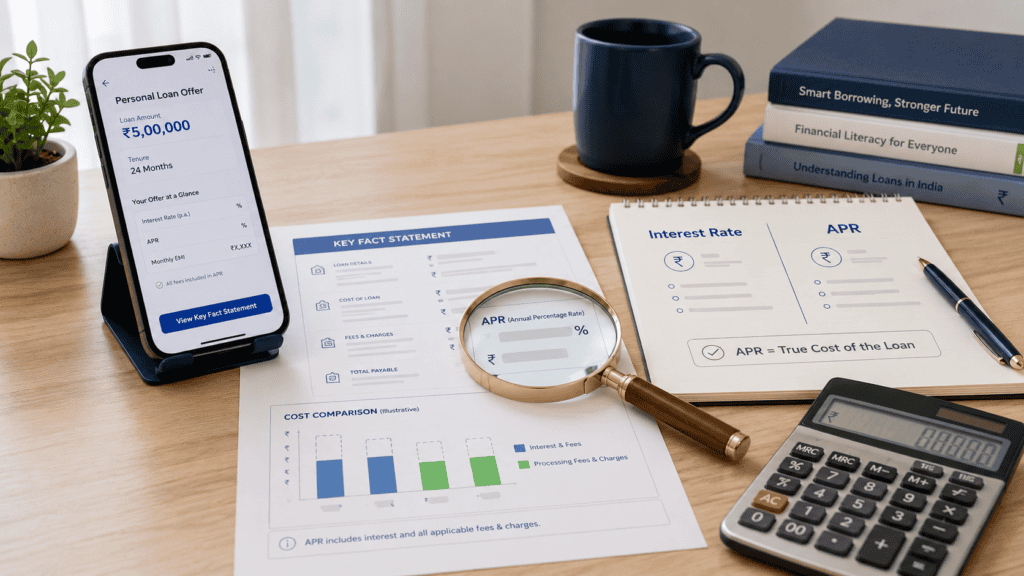
You open a loan app, see an interest rate that looks affordable, and start filling in the form. Then you reach the final screen — and the total repayment amount is noticeably higher than you expected. Processing fees, platform charges, maybe GST. The EMI looked fine. The interest rate looked fine. But the actual cost is different. This is exactly the problem that APR on digital loans is designed to solve. APR — Annual Percentage Rate — gives you one number that reflects the annualized borrowing cost, not just the headline interest rate. Before you tap “Accept” on any digital loan offer, understanding APR and where to find it in the Key Fact Statement can save you from an unpleasant surprise on repayment day.
Quick Answer: What Is APR on a Digital Loan?
APR on digital loans means the annualized borrowing cost shown in the Key Fact Statement, covering interest and applicable mandatory charges. It helps borrowers compare loan app offers by showing the true yearly cost, not only the advertised interest rate, processing fee, short-tenure cost, or EMI. Always compare total repayment in ₹ alongside the APR before accepting any digital loan offer.

Key Takeaways
- APR is broader than the advertised interest rate — it annualizes the total borrowing cost including applicable mandatory charges such as processing fees, so a loan with a lower interest rate may still carry a higher APR if charges are steeper.
- The Key Fact Statement (KFS) is the official document where APR must be disclosed before you accept a digital loan — if the KFS is missing or APR is not shown clearly, pause before borrowing.
- Short-tenure digital loans — such as 7-day, 15-day, or 30-day products — can display a very high APR even on a small fee, because the cost is scaled up to an annual figure; this does not automatically mean the loan is a scam, but it does mean you must check the total repayment in ₹.
- Processing fee deducted before disbursal means the amount credited to your account (net disbursal) is less than the loan amount you applied for — yet you repay on the full loan amount, which increases your effective borrowing cost.
- Before accepting any digital loan, verify four numbers from the KFS: APR, net disbursal, total repayment, and penal charges — these together give a clearer cost picture than the interest rate alone.
- RBI’s digital lending directions require regulated entities and their loan service providers (LSPs) to disclose APR and other cost details in the KFS before loan acceptance — an app that skips this step is not following the required process.
- Comparing two digital loan offers on APR alone is not enough — also compare total repayment in ₹ for the same loan amount and same tenure to identify the genuinely cheaper option.
Key Facts at a Glance
| Concept | What It Means | Why It Matters for Digital Loans |
|---|---|---|
| APR — Annual Percentage Rate | The annualized cost of a loan, including interest and applicable mandatory charges | Lets borrowers compare the true yearly cost across different loan apps and offers |
| Where APR appears | In the Key Fact Statement (KFS), which regulated lenders must share before loan acceptance | If APR is not in the KFS, the lender may not be following RBI disclosure requirements |
| APR vs interest rate | Interest rate = cost of borrowing the principal only; APR = broader annualized cost including charges | A low advertised interest rate can still result in high APR if processing or platform fees are significant |
| Net disbursal amount | The amount actually credited to your account after fees are deducted | You repay on the full loan amount, not the net disbursal — this gap affects your real cost |
| Short-tenure loan APR | A fixed fee on a 15-day loan, scaled to annual terms, can look very large | High APR on a short loan does not always mean the ₹ cost is unaffordable — always check total repayment |
| Penal charges | Additional charges levied on late payment or default | These should be disclosed in the KFS — check before accepting so there are no surprises |
| KFS mandatory disclosure | According to RBI’s digital lending directions, regulated entities must provide the KFS before loan acceptance | The KFS is your main borrower-protection document — do not skip reading it |
What Is APR on a Digital Loan? Understanding Annual Percentage Rate
APR stands for Annual Percentage Rate. It is a standardized way of expressing the cost of borrowing as a yearly percentage — not just for one month or one week, but scaled to a full year. In the context of digital loans in India, APR is intended to include the interest charged on your loan and any applicable mandatory charges that form part of the cost of credit.
The important word there is “annualized.” Even if your digital loan has a 15-day or 30-day tenure, the APR converts the total cost into what it would look like if you borrowed for a full year. This is what makes APR useful as a comparison tool — because without annualizing, a 15-day loan and a 12-month loan cannot be compared on the same scale.
What APR is not: it is not the same as the interest rate shown on the loan app homepage. The interest rate usually reflects only the cost of borrowing the principal amount — it does not capture processing fees, platform charges, or other mandatory costs. APR, when calculated and disclosed correctly, gives a more complete picture.
Under RBI’s digital lending directions, regulated entities — banks and NBFCs registered with the Reserve Bank of India — and their loan service providers (LSPs) are expected to disclose the APR in the Key Fact Statement before a borrower accepts a digital loan. The Key Fact Statement, or KFS, is a standardized summary of loan terms that borrowers must receive and acknowledge before the loan is sanctioned. You can read a detailed breakdown of what the KFS contains in the Key Fact Statement guide.
What this means for you as a borrower: if a loan app shows you an APR in its KFS, that number is your clearest signal of the annualized borrowing cost. If no APR is shown, or if the app asks you to accept terms without a KFS, that is a serious red flag.
Real Example: Rohit Compares Two Loan Offers in Pune
Rohit, 29, works as a customer support executive in Pune. He earns around ₹38,000 a month and needs ₹10,000 for an unexpected medical expense. He downloads a loan app and sees an offer: “Borrow ₹10,000 at just 1.5% monthly interest.” The EMI looks manageable. He nearly taps Accept — then decides to check the KFS first.
In the KFS, he finds the following for his 30-day loan: interest charged is ₹150 (1.5% on ₹10,000 for one month), processing fee is ₹500 (deducted before disbursal), and GST applies on the processing fee. Net disbursal: ₹9,470 approximately (after fee and GST deduction). Total repayment at the end of 30 days: ₹10,150. The APR shown in the KFS: substantially higher than 18% annualized — because the ₹500 fee, when annualized, adds significantly to the cost beyond what the monthly interest rate suggests.
Rohit then checks a second app. The second offer shows a monthly interest rate of 2% but a processing fee of only ₹100. For the same ₹10,000 over 30 days: total repayment is ₹10,200 in interest plus ₹100 fee — but his net disbursal is ₹9,882 (after a smaller fee and GST). The APR in the second app’s KFS is lower than the first, even though the stated monthly interest rate is higher.
Rohit’s insight: the first app had a lower interest rate but a much higher processing fee, making the total borrowing cost — and APR — greater. He chose the second offer. This is exactly what checking hidden loan app charges before accepting can save you from. All figures above are illustrative examples only, not market averages or guarantees of any lender’s pricing.
What You Need Before Comparing APR: A Pre-Acceptance Checklist
APR is not an eligibility criterion — it is a cost-transparency number. Before you can meaningfully compare APR across two digital loan offers, you need to gather a consistent set of details from each offer’s KFS. Without these numbers, you are comparing apples to oranges.
| Detail You Need | Where to Find It | Why It Matters |
|---|---|---|
| Loan amount | KFS / offer screen | APR comparisons are only valid for the same loan amount |
| Loan tenure | KFS | Short tenure can inflate APR — compare offers with the same tenure |
| Interest amount in ₹ | KFS | Lets you see the actual interest cost, not just the percentage |
| Processing fee | KFS — listed as a separate charge | A higher fee raises your effective cost even if the interest rate is lower |
| Net disbursal amount | KFS | The amount you actually receive — fees deducted before credit |
| Total repayment amount in ₹ | KFS | The single most honest cost indicator — compare this directly across offers |
| APR | KFS — must be disclosed by regulated entities | Lets you compare annualized cost across different products and tenures |
| KFS availability | Must be presented before acceptance | If missing, the lender may not be following RBI digital lending directions |
How APR Is Calculated on Digital Loans
The exact mathematical method for calculating APR can vary by lender and product type — and the precise formula used by regulated entities should be checked in the KFS or lender documentation directly. However, the underlying concept is consistent and worth understanding as a borrower.
APR captures the total cost of credit — interest plus applicable mandatory charges — and expresses it as a yearly rate relative to the amount you actually receive (net disbursal), not the amount you applied for. This is an important distinction. If you borrow ₹10,000 but receive only ₹9,470 in your account after a processing fee is deducted, the APR is calculated on the basis of the cost relative to the funds you actually had access to — which is a higher effective rate than simply dividing the interest by the principal.
The tenure effect is equally critical. Consider the illustrative example below. All figures are hypothetical and for educational explanation only.
| Loan Detail | Illustrative Value | Borrower Note |
|---|---|---|
| Loan amount | ₹10,000 | Amount applied for |
| Processing fee | ₹500 | Deducted before disbursal — check KFS |
| GST on processing fee (18%) | ₹90 | Added to fee cost — verify applicable rate |
| Net disbursal | ≈₹9,410 | Amount credited to your account |
| Monthly interest (1.5%) | ₹150 | For a 30-day tenure |
| Total repayment | ₹10,150 | Principal + interest — excludes fee already deducted |
| Total cost of credit | ₹740 (fee + GST + interest) | What this loan actually costs you |
| APR shown in KFS | Check KFS — do not estimate | Regulated lender must show this before acceptance |
Simplified APR concept: Total cost of credit ÷ Net disbursal × (365 ÷ Tenure in days) × 100
Where: Total cost of credit = interest + processing fee + applicable charges | Net disbursal = loan amount minus fees deducted upfront | Tenure = number of days of the loan
This is an illustrative concept only. The precise method used by your lender should be verified from the KFS or official lender documentation. Do not use this simplified view to audit a lender’s disclosed APR.
The tenure effect on APR: a ₹500 charge on a ₹10,000 loan for 365 days has a very different annualized impact than the same ₹500 charge on a 15-day loan. When you borrow for 15 days, that cost is scaled up by a factor of roughly 24 (365 ÷ 15) in annualization terms — which can make the APR look very large. This does not mean the loan is predatory. It means APR must always be read alongside the total repayment in ₹ for the specific tenure you are actually borrowing for.
Comparison: APR vs Interest Rate — and How to Compare Two Loan Offers
Many borrowers use the terms APR and interest rate interchangeably. They are not the same. Understanding the difference is the first step to making a genuinely informed borrowing decision. For deeper background on how loan interest itself is structured, see personal loan rate basics.
| Item | Interest Rate | APR (Annual Percentage Rate) |
|---|---|---|
| What it measures | Cost of borrowing the principal | Annualized total cost of credit including charges |
| What it includes | Interest only | Interest plus applicable mandatory charges (processing fee, platform fee, etc.) |
| Shown prominently in app? | Usually yes — in the marketing screen | Should appear in the KFS before acceptance |
| Best used for | Understanding interest component only | Comparing the full annualized cost across loan offers |
| Can be misleading? | Yes — a low rate with high fees still means a high total cost | Less so — but must be read with total repayment in ₹ for short tenures |
| Where to find it | App home screen, loan offer page | Key Fact Statement — do not accept without seeing it |
Now consider two illustrative digital loan offers for the same ₹10,000 borrowed for 30 days. All figures are hypothetical examples for educational purposes only.
| Comparison Point | Offer A | Offer B |
|---|---|---|
| Loan amount | ₹10,000 | ₹10,000 |
| Tenure | 30 days | 30 days |
| Monthly interest rate | 1.5% | 2.0% |
| Processing fee | ₹500 | ₹100 |
| Net disbursal (approx.) | ₹9,410 | ₹9,882 |
| Total repayment | ₹10,150 + ₹590 in fees/GST | ₹10,200 + ₹118 in fees/GST |
| APR in KFS | Higher — check KFS | Lower — check KFS |
| Safer comparison point | Total repayment in ₹ for the same amount and tenure |
Low Interest Does Not Always Mean Low Total Cost
Offer A had a lower monthly interest rate but a much higher processing fee — making it costlier overall. If Rohit had only compared interest rates, he would have chosen the wrong offer. Always compare total repayment in ₹ for the same amount and the same tenure.
What to Do If APR or KFS Details Are Missing or Unclear
According to RBI’s digital lending directions, regulated entities must provide the KFS to borrowers before the loan is accepted. If a digital loan app is asking you to accept terms without showing you a KFS — or if APR, total repayment, or charge details are absent — you have legitimate grounds to pause before proceeding.
Step 1 — Do not accept the loan without a KFS
If the app has a countdown timer, a “limited offer” banner, or any mechanism that rushes you past the cost disclosure step, that is a warning sign. A regulated lender-linked product will give you time to review the KFS.
Step 2 — Save screenshots and documentation
Before raising any complaint, take screenshots of the offer screen, KFS (if provided), charge breakdown, and total repayment details. Save the lender name, app name, and NBFC or bank details shown in the app. These will be needed if you escalate.
Step 3 — Contact the lender’s grievance channel first
Every RBI-regulated entity is required to have a Grievance Redressal Officer (GRO). The lender’s contact details should be in the KFS or on the regulated entity’s official website. Send your complaint in writing and keep the acknowledgment number.
Step 4 — Escalate through official routes if unresolved
If the lender does not resolve your complaint within the stipulated period, you may escalate to the RBI Integrated Ombudsman Scheme through cms.rbi.org.in. For fraud or harassment by an unregulated app, the National Cyber Crime Portal at cybercrime.gov.in is the appropriate reporting channel. Do not expect guaranteed resolution timelines — the outcome depends on the nature of the complaint and the evidence provided.
Pre-Acceptance Safety Checklist: APR and Cost Transparency
Before Accepting Any Digital Loan, Verify These Points
- APR is shown clearly in the KFS — not buried in footnotes or shown only as a percentage without context. If it is missing, this is a red flag.
- The KFS is available before you accept — not after. A compliant digital loan process requires you to acknowledge the KFS before disbursal.
- Net disbursal matches your expectation — check what will actually be credited to your bank account after fees are deducted. If the gap is large, check why.
- Total repayment in ₹ is clearly stated — you should know exactly how much you will repay before you commit to the loan.
- Processing fee and penal charges are listed separately — penal charges for late payment should be disclosed upfront, not discovered when you miss a date.
- Lender / NBFC identity is clear — the regulated entity (bank or NBFC) partnering with the app should be named in the KFS. If only the app’s name is shown without a regulated lender, pause before borrowing.
- Grievance contact is present — you should see a GRO name, contact, or escalation path in the KFS or on the app.
You can run through a more detailed pre-application safety process using the safe app checklist before applying through any digital loan platform.
| Warning Sign | Why It Matters | What to Do Next |
|---|---|---|
| No KFS shown before acceptance | Regulated lenders must provide KFS — this may indicate non-compliance or an unregulated product | Do not accept. Look for the lender’s regulated entity name and verify it |
| APR not disclosed or buried | Mandatory cost transparency requirement may not be met | Ask the lender/app for the KFS with APR before proceeding |
| Processing fee much larger than interest | Total cost of credit may be far higher than the interest rate suggests | Compare total repayment in ₹ — not just interest rate |
| Countdown timer on acceptance screen | Pressure tactics that prevent careful KFS review are a warning sign | Pause. A genuine regulated offer does not expire in seconds |
| No regulated lender name in app | Loan apps must be linked to an RBI-registered bank or NBFC | Verify lender identity before applying |
How to Decide What’s Right for You
Two loan offers have different interest rates but you can see both KFS documents — compare total repayment in ₹ for the same amount and tenure, then check APR. The offer with lower total repayment is the cheaper option, regardless of the headline interest rate.
The APR in the KFS looks very high and your loan tenure is 15 days or less — do not reject the loan purely on APR. Calculate what the total repayment in ₹ actually is and decide if that absolute cost is manageable relative to your need.
The loan app does not show you a KFS before asking for acceptance — stop the process. A regulated lender-linked digital loan must provide cost disclosure before acceptance. Contact the lender or check whether the app is linked to an RBI-registered entity.
You have an existing EMI burden that already takes up more than 40–50% of your monthly income — consider whether adding a new digital loan repayment is feasible. A short-tenure loan that you cannot repay on the due date becomes far more expensive once penal charges apply.
You can borrow from a family member or use savings to cover the emergency — compare that zero-cost option against the total repayment shown in the digital loan KFS before committing to the loan.
You are not sure whether the app is linked to a regulated entity — do not proceed on app popularity or rating alone. Check whether the lender is an RBI-registered bank or NBFC before sharing personal or financial details.
Official Rules and Where to Verify
APR disclosure for digital loans in India is governed by RBI’s directions for regulated entities. The key official sources to check are listed below. Because this is a high stale-data-risk topic, all regulatory references should be verified at official sources before relying on them for any financial decision.
- RBI — rbi.org.in: The Reserve Bank of India is the primary regulatory authority for digital lending in India. RBI’s digital lending directions set out requirements for regulated entities and LSPs including KFS disclosure, APR, consent, data collection, and grievance redressal. Verify the current version of these directions from rbi.org.in before acting on any regulatory claim.
- RBI Digital Lending Directions: RBI has issued directions governing digital loan practices for banks and NBFCs. These include requirements around KFS, APR disclosure, loan service provider obligations, and borrower transparency. The specific direction document and its current version should be checked directly at rbi.org.in.
- RBI KFS-related disclosure requirements: The requirement for a Key Fact Statement to be provided before loan acceptance is part of RBI’s transparency framework for digital lending. Verify current KFS format requirements from rbi.org.in.
- Official lender or NBFC KFS: Before accepting any digital loan, check the lender’s own official KFS document — not the app’s marketing screen. The KFS from the regulated entity is the legally relevant disclosure document.
- LSP vs regulated entity distinction: The loan app on your phone is often a loan service provider (LSP), not the lender. The actual lender is the regulated entity — a bank or NBFC. Their names should both appear in the KFS. App popularity does not confirm regulatory status.
For a full explanation of how RBI’s digital lending framework protects borrowers, read the RBI lending rules guide. To confirm whether a specific loan app is linked to an RBI-approved entity, use the guidance in verify loan app.
Rules, rates, charges, and eligibility conditions can change. Always verify current details from the official source, lender, or relevant regulator before making a financial decision.
Common Mistakes to Avoid
Comparing only the advertised interest rate
The rate shown on the app’s home screen is typically the interest rate — not the APR. It does not include processing fees, platform charges, or other mandatory costs.
A loan with a 1.5% monthly rate and ₹500 in fees can cost more than a 2% monthly rate with ₹100 in fees on the same ₹10,000 for 30 days. The total repayment in ₹ reveals this — the interest rate alone does not.
Always open the KFS and check APR, total repayment, and all charges before making any comparison.
Ignoring the processing fee deduction before disbursal
Many digital loan apps deduct the processing fee from the loan amount before crediting your account. This means you receive less than you applied for — but you repay on the full amount.
On a ₹10,000 loan with a ₹500 fee deducted upfront, you receive approximately ₹9,410 (after GST on the fee) but still owe ₹10,150 at repayment. This upfront deduction inflates your effective borrowing cost significantly.
Always check the net disbursal figure in the KFS before tapping Accept.
Not checking the total repayment amount in ₹
APR is useful for comparison — but the ₹ amount you will actually repay is the most concrete cost indicator for the specific loan you are considering.
Many borrowers look at EMI or monthly cost and miss the full picture. On a 30-day loan, there is only one repayment — but the total amount may be higher than expected once fees and interest are combined.
Make the total repayment in ₹ your primary decision number, then use APR to compare across offers.
Confusing EMI with total cost
On longer-tenure digital loans paid in monthly EMIs, the EMI amount reflects one instalment — not the total cost over the full loan period. A low EMI over 12 months can still mean a high total repayment when all 12 payments are added up.
Always multiply EMI by number of instalments and add any upfront fees to see the true total cost of the loan.
Accepting the loan without reading the KFS
The KFS is not a formality — it is the document that discloses APR, total repayment, charges, lender identity, and your grievance rights. Skipping it means you are accepting costs you may not have agreed to knowingly.
Take two minutes to read the KFS in full before tapping Accept. If it is missing, that itself is a signal to pause.
Assuming high APR always means a predatory loan
A very high APR on a 7-day or 15-day loan may simply be the mathematical result of annualizing a small charge over a very short period — not evidence of a predatory product. Context matters.
Check total repayment in ₹ for the actual tenure. If the absolute cost is affordable and the lender is regulated, high APR alone is not grounds for rejection — though it should still prompt careful review.
Not saving the KFS before accepting
Once you accept the loan and the app screen changes, the KFS may not be easily retrievable. Some borrowers discover discrepancies only when repayment is demanded — by which point they have no documented record of what was agreed.
Screenshot or download the KFS before tapping Accept. Keep it until the loan is fully repaid.
When This May Not Be the Right Choice
If your repayment depends on income that is uncertain — freelance, irregular gig work, or a payment that is pending — a short-tenure digital loan with a fixed repayment date can become expensive very quickly if you miss the date. Penal charges apply from day one of delay.
If the processing fee or charges are not clearly shown before you accept, and the app does not provide a KFS — this may indicate a non-compliant or unregulated product. The risk of undisclosed charges, opaque interest, and limited grievance access is higher.
If the APR seems disproportionately high relative to what you are borrowing and why — for example, using a high-cost short-tenure loan for a non-emergency expense that could wait — the total repayment cost may not be worth the convenience.
If the app creates urgency or rushes acceptance — a countdown timer, immediate-lapse offer, or screen that skips the KFS review step — this is a warning sign that the product may not be from a genuinely regulated source.
If you already carry heavy EMI obligations that account for a significant portion of your monthly income, adding a short-tenure loan with a lump-sum repayment may strain your cash flow — even if the ₹ amount looks small.
If any of these apply to your situation, it may be worth exploring other options before committing.
Expert Tips
- Always read APR alongside total repayment in ₹ — never in isolation. A loan with a high APR but a short tenure may cost you ₹300 total. A loan with a lower APR but a longer tenure may cost ₹2,000. The percentage tells you about rate; the ₹ tells you about cost. Use both.
- Check whether the processing fee is deducted before disbursal or added to repayment. If it is deducted upfront, your net disbursal is lower — but you still repay on the full principal. This is a common point of confusion that makes the effective cost higher than the stated interest rate suggests.
- Only compare offers with the same loan amount and the same tenure. Comparing a 7-day loan APR to a 60-day loan APR is not meaningful — the annualization effect is very different. Standardize your comparison before concluding which offer is better.
- Save the KFS as a screenshot or PDF before tapping Accept. Once the loan is disbursed, recovering the original KFS from the app may be difficult. Your saved copy is your evidence of what was agreed — essential if a charge dispute arises later.
- Avoid repeat short-term borrowing cycles. Borrowing ₹10,000 for 30 days, repaying it, and immediately borrowing again compounds the cost of credit — especially when each cycle carries processing fees. If you find yourself in repeated short-term digital loan cycles, that is a signal to explore a longer-tenure credit option with lower per-cycle charges.
- Verify the loan app’s regulated entity before sharing personal data. The lender named in the KFS should be an RBI-registered bank or NBFC. Check this using official resources — guidance available at verify loan app — before submitting KYC or bank details.
- If a lender quotes a flat monthly rate, ask for the APR from the KFS before committing. A 1.5% monthly rate sounds low — but annualized, and factoring in upfront fees, the real borrowing cost may be considerably higher. The KFS APR is the number designed for this comparison.
Frequently Asked Questions
What is APR on a digital loan?
APR — Annual Percentage Rate — is the annualized cost of borrowing expressed as a percentage. On digital loans in India, it is intended to reflect the total cost of credit including interest and applicable mandatory charges, scaled to a yearly rate. It is disclosed in the Key Fact Statement (KFS) that regulated entities must provide before you accept a loan. APR is a comparison tool — it helps you evaluate the cost of one loan offer against another on a standardized annual basis, rather than comparing raw monthly or weekly costs.
Is APR the same as interest rate?
No. The interest rate refers only to the cost of borrowing the principal amount. APR is broader — it is designed to include interest plus applicable mandatory charges such as processing fees, platform fees, or other costs that are part of the total cost of credit. This means APR is almost always higher than the stated interest rate. A loan app that shows 18% annual interest may have a higher APR once processing and other mandatory charges are included. Always check the APR in the KFS, not just the interest rate on the offer screen.
Why is APR high on short-term digital loan apps?
APR annualizes the cost of borrowing. When you take a 7-day, 15-day, or 30-day loan, any fixed charge — such as a ₹500 processing fee on a ₹10,000 loan — is mathematically scaled up to a yearly equivalent. That scaling effect can make the APR look very large even if the absolute ₹ cost is small. A high APR on a short-tenure loan does not automatically mean the product is predatory. It means you must check the total repayment in ₹ for the actual tenure to decide whether the cost is acceptable for your specific need.
Where can I find APR before accepting a digital loan?
APR must be disclosed in the Key Fact Statement (KFS) — a standardized loan disclosure document that regulated digital lenders are required to provide before you accept any loan offer. The KFS should appear as a reviewable document in the loan app before the final acceptance step. It should show APR, total interest, processing fee, net disbursal, total repayment, penal charges, and lender details. If you cannot find the KFS or APR before acceptance, that is a signal to pause and verify the lender’s regulatory status.
Does processing fee affect APR?
Yes. Processing fees are part of the total cost of credit and are included in APR calculations by regulated lenders. A higher processing fee, particularly on a short-tenure loan, increases the APR significantly — even if the interest rate is low. This is why two loans with the same interest rate can have very different APRs if their processing fees differ. Always check both the processing fee amount and the APR in the KFS, and compare total repayment in ₹ to make an accurate cost comparison.
Should I reject a digital loan if APR is very high?
Not necessarily — but you should investigate carefully. A very high APR on a short-tenure loan may be a mathematical artifact of annualization rather than evidence of predatory pricing. Check the total repayment in ₹ for the specific tenure. If the absolute ₹ cost is affordable, the lender is regulated, the KFS is complete, and you are confident about repayment on the due date — the APR figure alone should not drive rejection. However, if the APR is high and the KFS is missing, charges are hidden, or the lender identity is unclear, those are genuine grounds to pause or walk away.
Is APR disclosure in the KFS mandatory for digital loans?
According to RBI’s digital lending directions, regulated entities — banks and NBFCs — and their loan service providers are required to provide borrowers with a Key Fact Statement before loan acceptance, and APR is part of the required KFS disclosures. Whether a specific app or lender meets this requirement depends on whether they are operating under a regulated entity and following RBI’s current directions. Verify the current requirements from rbi.org.in, and always check whether the loan app you are using is linked to an RBI-registered lender.
How do I compare two digital loan offers using APR?
Compare only offers for the same loan amount and the same tenure — APR across different tenures is not directly comparable due to the annualization effect. For each offer, collect APR from the KFS, total repayment in ₹, processing fee, and net disbursal from the KFS. The offer with lower total repayment in ₹ is cheaper in absolute terms. APR confirms which is cheaper on a rate basis when the tenures are equal. Never decide on interest rate alone — a lower interest rate with a higher processing fee can cost more in total than a higher interest rate with a minimal fee.
Can I complain if the KFS does not show APR clearly?
Yes. If the loan app or lender fails to show you APR and full cost disclosures in the KFS before acceptance, you can raise a complaint with the lender’s Grievance Redressal Officer (GRO) first. If the issue is not resolved within the stipulated timeframe, you may escalate to the RBI Integrated Ombudsman Scheme at cms.rbi.org.in. Keep all screenshots, KFS documents (if provided), and correspondence as evidence. Note that complaint outcomes depend on the evidence, the lender’s regulatory status, and the nature of the dispute — no specific outcome can be guaranteed.
Final Verdict
APR on digital loans is a transparency tool — not a number to fear, but one you should always check before tapping Accept. If you understand APR, you can see past the advertised interest rate and evaluate what a digital loan actually costs you on an annualized basis, including processing fees and other mandatory charges. For short-tenure loans especially, APR can look startlingly high — which is why total repayment in ₹ for your specific tenure is the number that ultimately matters most for your budget.
The key habit to build: open the KFS before every digital loan acceptance. Check APR, net disbursal, total repayment, and penal charges. Verify that the lender is a named, RBI-registered bank or NBFC. If any of these details are missing, pause — not because digital loans are inherently unsafe, but because a regulated, transparent product will always be willing to show you the full cost picture before you commit.
Always verify the latest rules, charges, and terms from the relevant official source or provider before making a financial decision.
This article is for educational purposes only and should not be treated as personalised financial, credit, tax, or legal advice. Rules, rates, charges, eligibility criteria, and product terms can vary by provider and may change over time. Please verify current details from official sources, the relevant provider, or a qualified professional before making any financial decision.

Arjun writes clear borrower-safety guides on digital loan apps, RBI digital lending rules, KFS, APR, LSPs, loan app harassment, cybercrime complaints, CIBIL impact, and safer borrowing choices. He focuses on helping Indian borrowers understand risks, protect their data, compare lenders carefully, and use official complaint channels when needed.