

Loan apps are designed to look simple: tap, approve, get money. What they often don’t make simple is the real cost. Many apps lead with the loan amount, a low-sounding interest figure, or a fast approval promise — but the actual charges sit buried in a Key Fact Statement you may never have seen, or in deductions that show up only after the money hits your account. Processing fees, platform charges, GST, insurance add-ons, late payment penalties, and bounce charges can push your effective borrowing cost well above what the app screen showed. This is a pre-acceptance checklist to help you find and compare those charges before you tap Accept — not a ranking or recommendation of any specific app.
Quick Answer: What Should You Check Before Accepting a Loan App Offer?
Hidden charges in loan apps are costs beyond the visible interest amount, such as processing fees, platform fees, GST, insurance add-ons, late payment charges, and penalties. Before accepting, check the KFS, APR, net disbursal, total repayment, lender/NBFC name, and cooling-off period. If any of these are unclear or not shown before you accept, treat that as a warning sign.
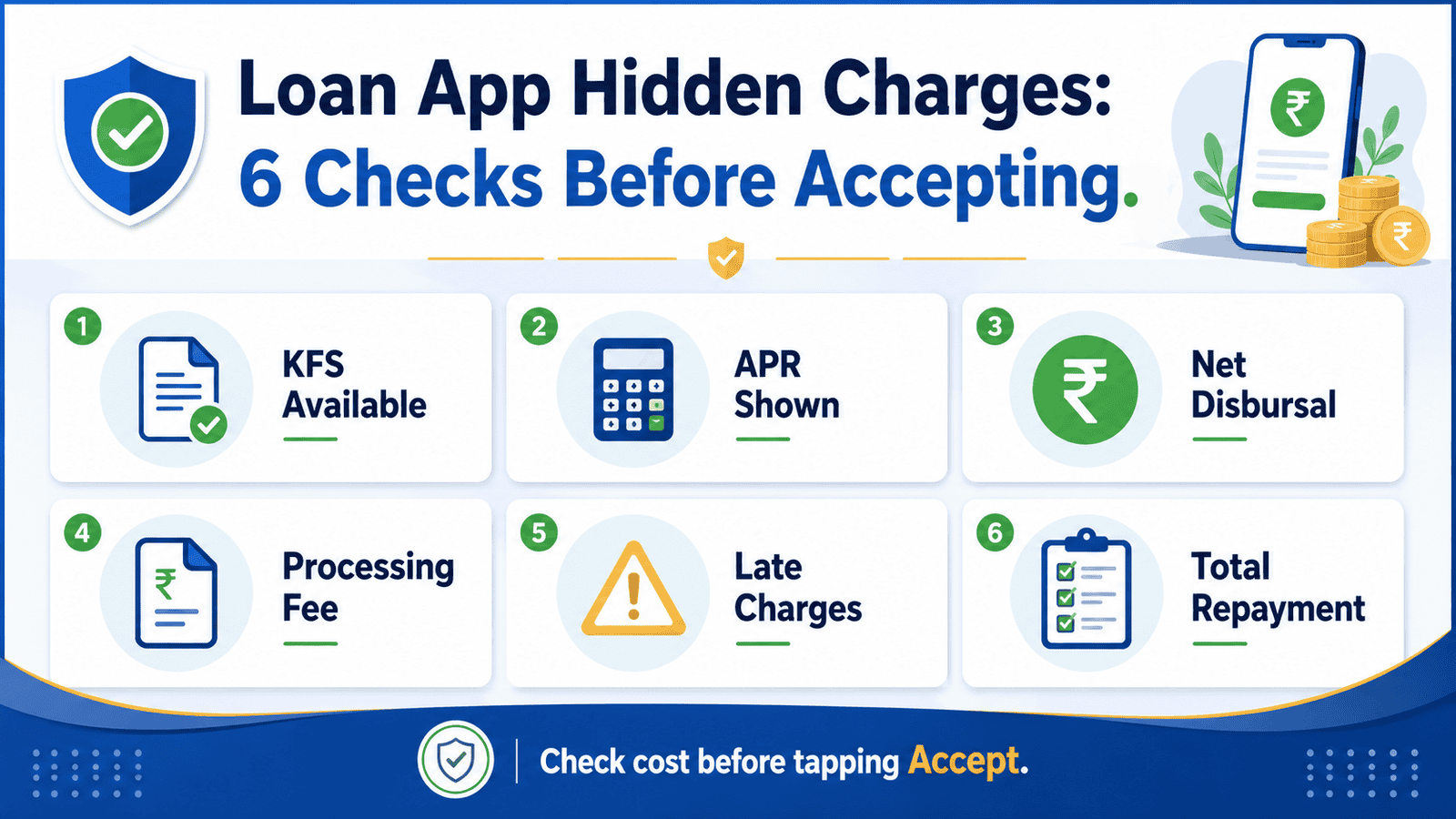
6 Things to Check Before Tapping Accept
- KFS (Key Fact Statement): The lender must provide this document before you accept. It should show all charges, APR, repayment schedule, and grievance contact. If it is missing, pause the application.
- APR (Annual Percentage Rate): This includes interest and mandatory charges expressed as an annual rate. It gives a more complete cost picture than the monthly interest alone.
- Net disbursal amount: The money actually credited to your account after upfront deductions. This may be lower than the approved loan amount.
- Processing fee and platform fee: These may be deducted before disbursal or added to your repayment. Check the KFS for the exact amount and when it is charged.
- Late payment and penal charges: Know the exact penalty per day or per month for late EMI or delayed repayment, plus any bounce charge if your auto-debit fails.
- Total repayment amount: This is the full sum you must pay back — principal plus all interest and charges — before you commit to the loan.
For a broader checklist before using any instant loan app, see our safe app checklist.
Key Takeaways
- A “low interest” headline does not mean a low total cost — processing fees, platform charges, and GST can significantly raise what you actually pay.
- The net disbursal amount may be lower than the approved loan amount because fees are sometimes deducted before the money reaches your account, while your repayment obligation is based on the full loan terms.
- APR is a better cost comparison metric than the displayed monthly interest rate because it includes mandatory upfront charges expressed as an annual figure.
- If an app does not show you the KFS, lender/NBFC name, APR, and total repayment before you tap Accept, that is a warning sign — not standard practice.
- Screenshot and save every charge screen, the KFS, your sanction letter, and the bank credit entry before accepting and after repayment.
- RBI’s digital lending directions require regulated entities and their Lending Service Providers to make cost disclosures before loan acceptance. Knowing this puts you in a stronger position.
Key Facts at a Glance
| Term | Plain-Language Meaning | Where to Check It |
|---|---|---|
| Processing Fee | A one-time charge for processing your loan application, often a percentage of the loan amount | KFS, loan agreement, app fee schedule |
| Platform / Service Fee | A charge levied by the Lending Service Provider (LSP) for operating the digital loan platform; may be separate from the lender’s processing fee | KFS, sanction letter |
| APR (Annual Percentage Rate) | The annualised cost of the loan including interest and mandatory charges — a more complete figure than monthly interest | KFS (mandatory disclosure under RBI directions) |
| KFS (Key Fact Statement) | A standardised one-page document the lender must give you before acceptance; it lists all loan terms, charges, APR, repayment schedule, and grievance contact | Inside the app before you accept, or on request from the lender |
| Net Disbursal Amount | The actual money credited to your bank account after upfront deductions such as processing fee, platform fee, or insurance premium | KFS, sanction letter, bank statement |
| Total Repayment Amount | Principal plus all interest, fees, and charges you must repay over the loan tenure | KFS, repayment schedule |
| Penal / Late Payment Charge | An additional charge applied if your EMI or repayment is delayed; can be a flat fee or a daily/monthly rate on the overdue amount | KFS, loan agreement |
| Cooling-Off Period | A window after loan acceptance during which you can cancel the loan without a penalty — the duration is set by the lender per RBI guidelines | KFS, loan agreement |
What Are Hidden Charges in Loan Apps — and Where Do They Appear?
The phrase “hidden charges” does not always mean illegal charges. More often, they are costs that are disclosed somewhere in the documents but are easy to miss — because the app banner, SMS, or pre-approval screen highlights only the loan amount or the EMI. The real cost is almost always in the detail.
According to RBI’s digital lending directions (rbi.org.in), regulated entities — banks and NBFCs — and their Lending Service Providers are required to disclose all fees and charges in the Key Fact Statement before the borrower accepts a loan. The KFS must be given in a standardised format and must include APR, all charges, repayment schedule, and grievance officer details. Understanding what the KFS should contain is your first line of defence — read our full guide on digital loan KFS explained.
Here is where the main charge categories appear in a typical loan app flow:
Processing Fee
Charged by the lender for processing your application. It is usually a percentage of the approved loan amount and may be deducted upfront — meaning it reduces your net disbursal — or added to the total repayment. Both the amount and the deduction method should be stated in the KFS.
Platform or Service Fee
This charge is separate from the lender’s processing fee. It is levied by the Lending Service Provider (LSP) — the company that operates the loan app on behalf of the regulated lender. Many first-time borrowers do not realise the app they use may be an LSP, not the actual lender. The LSP’s fees should also appear in the KFS.
GST on Charges
Goods and Services Tax applies to most loan-related service charges, including processing fees, platform fees, and prepayment charges. GST increases the effective cost of each charge. The KFS should show whether quoted fees are inclusive or exclusive of GST.
Insurance and Add-On Products
Some apps bundle a loan insurance policy, a credit shield product, or a subscription service with the loan. These are sometimes presented as mandatory when they may be optional. The premium — and whether it is deducted upfront — should be disclosed before you accept. Under RBI directions, the regulated entity is responsible for ensuring borrower consent for any such add-on product.
Late Payment and Penal Charges
If your repayment is delayed, a penal charge applies. This may be a flat fee per missed payment or a daily/monthly rate applied to the overdue amount. Bounce charges apply separately if your auto-debit instruction fails due to insufficient funds. These charges can compound quickly on short-tenure app loans.
Foreclosure and Bounce Charges
If you want to repay the loan early, a foreclosure or prepayment charge may apply. The amount and conditions should be clearly stated in the KFS and loan agreement. Do not assume early repayment is always free on app-based loans.
The critical point is this: you should not rely on app banners, push notifications, or verbal claims from customer support. The only document that carries legal weight before acceptance is the KFS and the loan agreement. If those documents are not accessible before you accept, that is the problem — regardless of what the app screen shows.
Real Example: Ravi’s Loan App Experience (Illustrative)
Ravi, 28, works in Bengaluru as a junior accounts executive. He earns around ₹35,000 a month and needs ₹10,000 urgently for a medical bill. An app on his phone shows him as pre-approved for a ₹10,000 loan at a “low monthly interest” and promises disbursal in minutes. He taps forward without checking the KFS.
When the money arrives, his bank shows a credit of ₹8,800. The app had deducted ₹800 as a platform fee and ₹200 as GST on that fee — both mentioned in the KFS he had not opened. His repayment schedule, however, is based on ₹10,000 plus interest for 30 days. At the end of the month, he owes more than he received.
If Ravi had checked the KFS before accepting, he would have seen: net disbursal ₹8,800, total repayment ₹10,000 plus interest, and a late payment charge that applies from day one of a missed payment. The numbers are illustrative — actual fees vary by lender and loan agreement — but the pattern is common. The approved amount, the amount credited, and the amount to be repaid are three different numbers. Check all three.
Borrower Checklist Before Accepting a Loan App Offer
This is not a creditworthiness checklist. It is a minimum information standard you should hold before tapping Accept on any digital loan offer:
| What to Confirm | Where to Find It | Red Flag If Missing |
|---|---|---|
| Lender / NBFC name and registration | App disclosures, KFS, RBI regulated entity list | No named regulated lender — stop immediately |
| KFS available before acceptance | In-app document, email, or downloadable PDF | KFS appears only after you accept — this is non-compliant |
| APR clearly stated | KFS | Only monthly interest shown, no APR — incomplete disclosure |
| Net disbursal amount | KFS, sanction letter | Not shown — you do not know what you will actually receive |
| Total repayment amount | KFS, repayment schedule | Not disclosed before acceptance — major warning sign |
| Late payment and penal charge rates | KFS, loan agreement | No mention of penalties — read the fine print or avoid |
| Grievance officer name and contact | KFS, app help section | Only a WhatsApp number or chatbot — limited official recourse |
| Cooling-off period details | KFS, loan agreement | No mention — you may have no exit window after acceptance |
How Much Can Hidden Charges Actually Add? (Illustrative Calculation)
The difference between the interest rate you see and the effective cost of borrowing becomes clearest when you look at upfront deductions on a short-tenure loan.
Net Disbursal = Approved Loan Amount − Upfront Fees (Processing Fee + Platform Fee + GST + Insurance Premium, if any)
Where: Upfront Fees = all charges deducted before the money reaches your account
| Item | Scenario A — Illustrative | What Borrower Should Check |
|---|---|---|
| Approved loan amount | ₹10,000 | Shown in app approval screen |
| Processing fee + platform fee | ₹800 (illustrative — varies by lender) | KFS, fee schedule |
| GST on charges | ₹144 (18% on ₹800 — illustrative) | KFS — check whether fees are GST-inclusive |
| Net disbursal to account | ₹9,056 | Bank statement, KFS |
| Monthly interest (illustrative) | ₹200 for 30 days | KFS — verify actual rate |
| Total repayment after 30 days | ₹10,200 | KFS, repayment schedule |
| Effective cost on ₹9,056 received | Higher than the stated monthly rate | Compare using APR, not only interest rate |
The numbers above are illustrative only — actual fees, GST treatment, and interest vary by lender, loan amount, and current RBI/lender rules. The point is that when fees are deducted upfront, the effective cost of borrowing on the money you actually receive is higher than the stated interest rate suggests. APR, which includes such charges in its calculation, gives a more accurate comparison. For a deeper explanation, see our guide on APR cost explained for digital loans.
Normal Disclosure vs Warning Sign: What the Difference Looks Like
| Item | Transparent Behaviour | Warning Sign |
|---|---|---|
| KFS availability | Shown or downloadable before you tap Accept | Sent only after acceptance, or not sent at all |
| APR disclosure | Clearly stated in KFS alongside interest rate | Only monthly interest shown; APR absent |
| Lender identity | Named bank or NBFC with RBI registration details | No named regulated lender; only the app brand name |
| Repayment account | Repayment to the lender/NBFC’s official account via NACH or UPI | Repayment demanded to an individual’s personal bank account or UPI ID |
| Fees disclosed | Processing fee, GST, platform fee all stated in KFS before acceptance | Charges appear only after approval or after disbursal |
| Grievance contact | Named grievance redressal officer with email and phone in KFS | Only WhatsApp number or anonymous chatbot, no escalation path |
| Recovery language | Polite written communication per RBI Fair Practices Code | Threatening messages, contact spamming, pressure to accept quickly |
If Charges Were Not Clearly Disclosed: What to Do
If you have already accepted a loan and found that charges were not disclosed clearly before acceptance, or that the amount credited is significantly different from what you expected, take these steps:
Step 1 — Save All Evidence
Screenshot the app approval screen, the KFS (if provided), your bank credit entry, the repayment schedule, any messages or calls from the lender or recovery team, and the original loan offer screen. Do this immediately — some apps update or remove screens after acceptance.
Step 2 — Contact the Lender’s Grievance Channel
Every regulated lender and NBFC must have a grievance redressal officer. Their name, email, and phone number should be in your KFS or on the lender’s website. Submit your complaint in writing and keep a reference number. This step matters even if you later escalate — official channels typically require evidence of a complaint already raised with the lender.
Step 3 — Escalate If Unresolved
If the lender does not respond satisfactorily within the time frame stated in their grievance policy, you may escalate through official RBI complaint routes applicable to the regulated entity. For a step-by-step guide to this process, see our article on the RBI complaint process for banks and NBFCs.
Step 4 — Report Fraud or Threats Separately
If the app is collecting repayment to a personal account, threatening you, misusing your contacts, or you believe it is operating without a regulated lender behind it, report to the National Cyber Crime Portal at cybercrime.gov.in. This is separate from a standard loan complaint — keep both processes running in parallel if needed.
Do not ignore legitimate dues during any complaint process. Doing so may affect your credit report. The goal is to get a clear written breakdown of every charge — not to avoid repayment of what is genuinely owed.
the KFS is available before acceptance, APR is stated, the lender/NBFC is named, net disbursal and total repayment are clearly shown, and all charges match the KFS — proceed with a clear picture of what you are committing to.
the app shows only monthly interest and an EMI figure without APR, KFS, or total repayment — ask the lender directly for the KFS before accepting; do not proceed without it.
the loan tenure is very short (7 to 30 days) and the upfront fee is a significant percentage of the approved amount — calculate the effective APR before accepting; a ₹1,000 fee on a ₹10,000 thirty-day loan is a much higher annualised cost than it appears.
cheaper alternatives exist — a salary advance from your employer, a personal loan from your bank, or borrowing from family — compare the total repayment on each before committing to an app loan with high upfront charges.
you cannot comfortably repay the full amount on the due date — do not accept the loan. Penal charges and bounce fees on short-tenure app loans can create a cycle where you take a new loan to repay the old one, increasing your total debt each time.
Common Mistakes to Avoid
Accepting Without Opening the KFS
The KFS is not just a formality. It is the document that tells you the real cost. Many borrowers scroll past it to reach the Accept button. Read it before you tap — or at minimum check APR, net disbursal, total repayment, and the fees table.
Comparing Only the EMI or Monthly Interest
A ₹500 monthly interest sounds small. But if the lender deducted ₹1,000 in fees upfront on a ₹10,000 loan, your effective cost is substantially higher. Always look at APR and total repayment together.
Ignoring the Net Disbursal vs Approved Amount Gap
If the app says ₹10,000 approved and ₹8,800 arrives in your account, you are repaying based on ₹10,000 terms while planning with ₹8,800. Not knowing this gap in advance causes repayment shortfalls.
Granting Unnecessary App Permissions Without Understanding Why
Some apps request access to contacts, call logs, or photos as part of their credit assessment. Under RBI’s digital lending directions, the lender and LSP must take explicit consent for data access. Question permissions that seem excessive or unrelated to credit assessment before granting them.
Paying to Personal Accounts Without Written Confirmation
Repayment to a named NBFC or bank account is standard. Repayment demanded to an individual’s personal UPI ID or bank account — especially under pressure — is a serious warning sign. Always get a written or in-app confirmation of what you owe and to whom before transferring any money.
Not Saving Proof of Repayment and Loan Closure
After repaying, save the bank debit entry, the app confirmation, and any NOC or closure certificate the lender provides. Without proof of repayment, resolving a disputed outstanding entry on your credit report is harder. For help spotting warning signs earlier in the process, see our article on fake app warning signs before applying.
When This May Not Be the Right Choice
A loan app offer may not be the right choice in these situations:
The charges are only shown after you have completed the approval steps — by that point, many borrowers feel committed and accept without comparing alternatives.
The APR is significantly higher than what a bank personal loan or NBFC product would cost for the same amount — a higher rate is not automatically wrong, but you should at least know the difference before deciding.
You cannot repay the full amount on the due date. Short-tenure app loans are not designed to be rolled over — penal charges and bounce fees make the cost grow quickly if you miss even one payment.
You are taking this loan to repay another app loan. This is a debt cycle, not a solution. Each rollover increases total interest and fees paid.
The app uses pressure tactics — countdown timers on the offer, urgent notifications, or language suggesting the offer disappears in minutes — to push you into accepting before you have checked the charges.
If any of these apply to your situation, it may be worth exploring other options before committing.
Official Rules and Where to Verify
Before accepting any digital loan, verify the following from official sources:
- RBI (rbi.org.in): The Reserve Bank of India has issued digital lending directions covering KFS format and mandatory disclosures, APR computation requirements, regulated entity and LSP responsibilities, Fair Practices Code for recovery, and data collection and consent norms. Check rbi.org.in for the current version of these directions before publishing or acting on any specific rule cited here.
- Regulated entity confirmation: The lender named in your KFS should be a bank or NBFC registered with RBI. You can use the RBI’s published lists of registered NBFCs and banks on rbi.org.in to confirm. To learn how to do this step-by-step, see our guide on how to verify app approval status.
- Credit bureaus (by name only): TransUnion CIBIL, Experian India, CRIF High Mark, and Equifax India are the four credit bureaus operating in India. If a loan app claims it will not affect your credit score, check directly with your bureau after disbursal.
- National Cyber Crime Portal (cybercrime.gov.in): Use this if an app commits fraud, misuses your data, threatens you, or collects money through deceptive means.
Rules, rates, charges, and eligibility conditions can change. Always verify current details from the official source, lender, or relevant regulator before making a financial decision.
Expert Tips
- Screenshot the charge screen before you accept. Some apps update the interface after acceptance. A timestamped screenshot of the fees disclosed at the point of acceptance is the best evidence if you later dispute a charge.
- Compare APR, net disbursal, and total repayment — not just EMI. If two apps offer ₹10,000 each but one disburses ₹9,200 and the other ₹8,800, their actual cost differs even if the stated interest rate is similar. Total repayment is the number that settles the comparison.
- Prefer apps linked to a clearly identified regulated bank or NBFC. The app brand name is not your lender. The named bank or NBFC in the KFS is. A more transparent app makes it easy to identify the regulated entity and contact their grievance officer independently.
- Keep your loan closure NOC or digital confirmation. Once you repay in full, save proof that the loan is closed. This matters if an incorrect outstanding balance later appears in your credit report.
- Avoid frequent short-tenure app loans. Each application may trigger a hard enquiry on your credit report. Multiple enquiries in a short period can lower your credit score and signal credit stress to future lenders.
- Use the cooling-off period if you change your mind. The KFS and loan agreement should state the window during which you can cancel the loan. If you accepted without fully understanding the charges, check whether the cooling-off period is still active before your first repayment.
Frequently Asked Questions
What are hidden charges in loan apps?
They are costs beyond the headline interest rate that may not be obvious from the app’s main screen — including processing fees, platform fees, GST on charges, insurance add-ons, late payment penalties, bounce charges, and foreclosure fees. They are not always illegal, but they must be disclosed in the KFS before you accept.
Are loan app processing fees legal in India?
A processing fee charged by a regulated bank or NBFC is generally permissible, provided it is disclosed in the KFS before acceptance and the borrower consents. The issue arises when fees are not disclosed upfront, appear after acceptance, or are charged by an unregistered entity. Check rbi.org.in for the current rules on fee disclosure for digital loans.
Why did I receive less money than the approved loan amount?
Fees such as the processing fee, platform fee, GST, and insurance premium are sometimes deducted from the approved amount before the money is credited to your account. This is called an upfront deduction. The KFS should disclose this so you know the net disbursal amount before accepting. If it was not disclosed, raise it with the lender’s grievance officer.
What is APR in a loan app?
APR stands for Annual Percentage Rate. It is an annualised cost figure that includes the interest rate and certain mandatory charges, making it easier to compare the true cost of loans across different lenders or products. A loan app showing only a monthly interest rate is giving you an incomplete picture. The KFS must include APR under current RBI digital lending directions — verify this at rbi.org.in.
Is a KFS mandatory before accepting a digital loan?
Under RBI’s digital lending directions applicable to regulated entities and their Lending Service Providers, the KFS must be provided to the borrower before loan acceptance. If an app does not show or send the KFS before you are asked to accept, that is a non-compliant practice. Do not accept without it.
Can a loan app charge late payment penalties?
Yes, a regulated lender can charge a penal fee for delayed repayment, provided it is disclosed in the KFS and loan agreement before acceptance. The rate, the trigger (missed EMI, insufficient funds for auto-debit), and the calculation method should all be stated in writing. If none of this was disclosed, raise a complaint with the lender’s grievance officer.
What should I do if charges were not shown clearly before I accepted?
First, save all evidence — screenshots of the app screens, the KFS if available, your bank credit entry, and repayment schedule. Then contact the lender’s grievance redressal officer in writing. If the issue is not resolved, escalate through RBI complaint channels applicable to the regulated lender. If the app appears fraudulent or threatened you, report to cybercrime.gov.in.
Should I accept a loan offer if the total repayment is not shown before acceptance?
No. The total repayment amount — what you will pay back in full over the tenure — is one of the most important numbers before you commit. If it is not shown before acceptance, you are agreeing to repay an amount you have not confirmed. This is a significant warning sign and should cause you to pause the application until the lender provides complete disclosures.
Final Verdict
Hidden charges in loan apps are often a disclosure and understanding problem as much as a fee problem. Many charges — processing fees, platform fees, GST, late penalties — are legally permissible when disclosed correctly. The risk for borrowers comes from accepting a loan without reading the KFS, checking the APR, or confirming the net disbursal and total repayment. If you check these six things before tapping Accept — KFS, APR, net disbursal, all fees, penal charges, and total repayment — you are in a far stronger position than most first-time digital loan borrowers. If any of these disclosures are missing or unclear, pause the application. A loan offer that pressures you to accept before you have read the full cost is a warning sign, not a convenience. Always verify the latest rules, charges, and terms from the relevant official source or provider before making a financial decision.
This article is for educational purposes only and should not be treated as personalised financial, credit, tax, or legal advice. Rules, rates, charges, eligibility criteria, and product terms can vary by provider and may change over time. Please verify current details from official sources, the relevant provider, or a qualified professional before making any financial decision.

Arjun writes clear borrower-safety guides on digital loan apps, RBI digital lending rules, KFS, APR, LSPs, loan app harassment, cybercrime complaints, CIBIL impact, and safer borrowing choices. He focuses on helping Indian borrowers understand risks, protect their data, compare lenders carefully, and use official complaint channels when needed.